#open interest

7 articles

Market Analysis7 min read2026-08-15

Before Anyone's Talking About It: How I Read OI Accumulation on TradingFlow

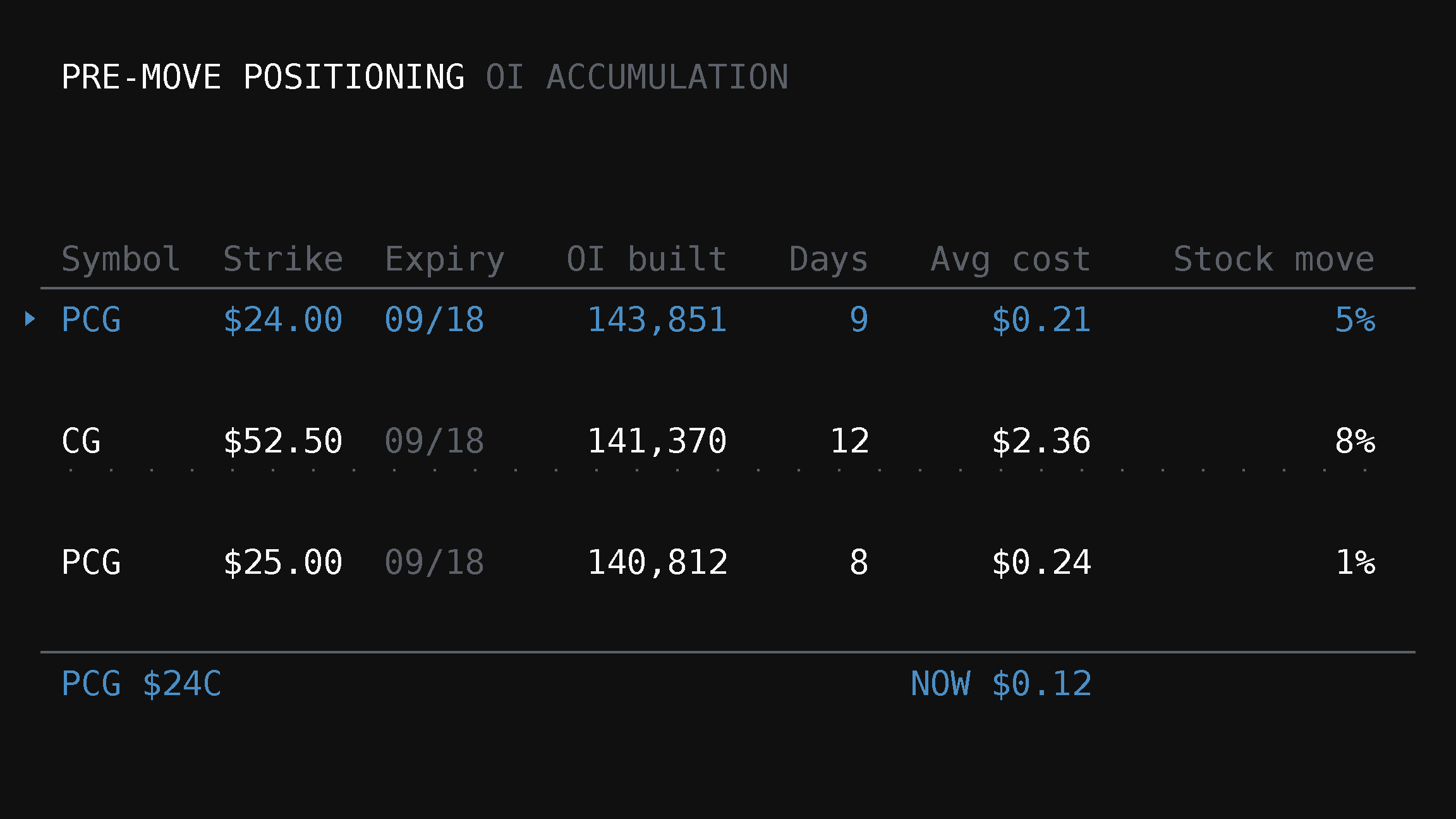
Every morning before I look at anything else, I open TradingFlow's Pre-Move Positioning screen. Here's a real session — three PCG call strikes building open interest at once — and exactly how far that pattern gets you, and where it stops.

Market Analysis4 min read2026-08-07

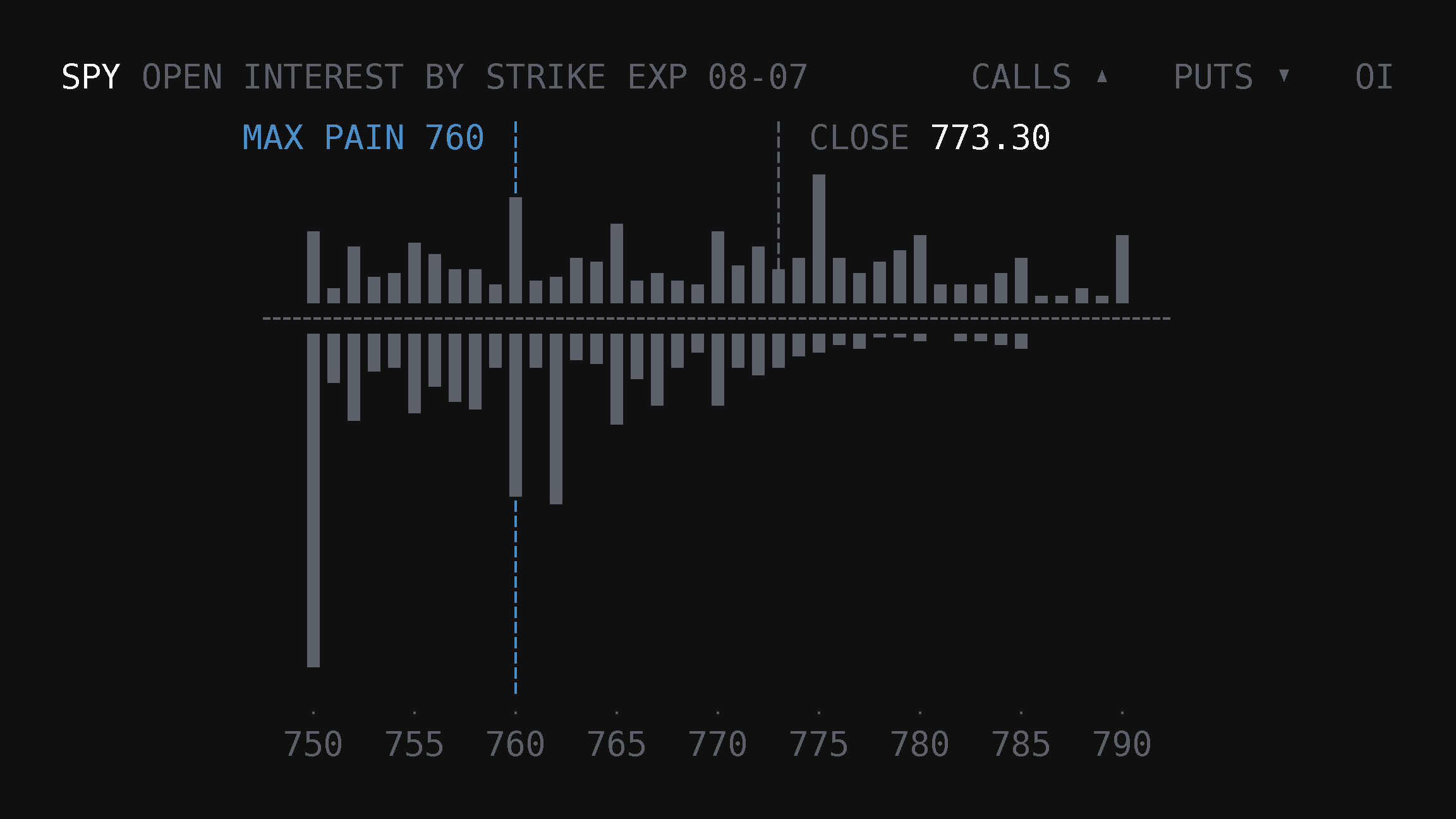
Max Pain Is Not a Pin Forecast: Walls, GEX, and the Tape

Max pain theory is a popular expiration narrative. TradingFlow maps OI walls and GEX next to same-session flow so you do not trade a single pin number blind.

Market Analysis3 min read2026-08-06

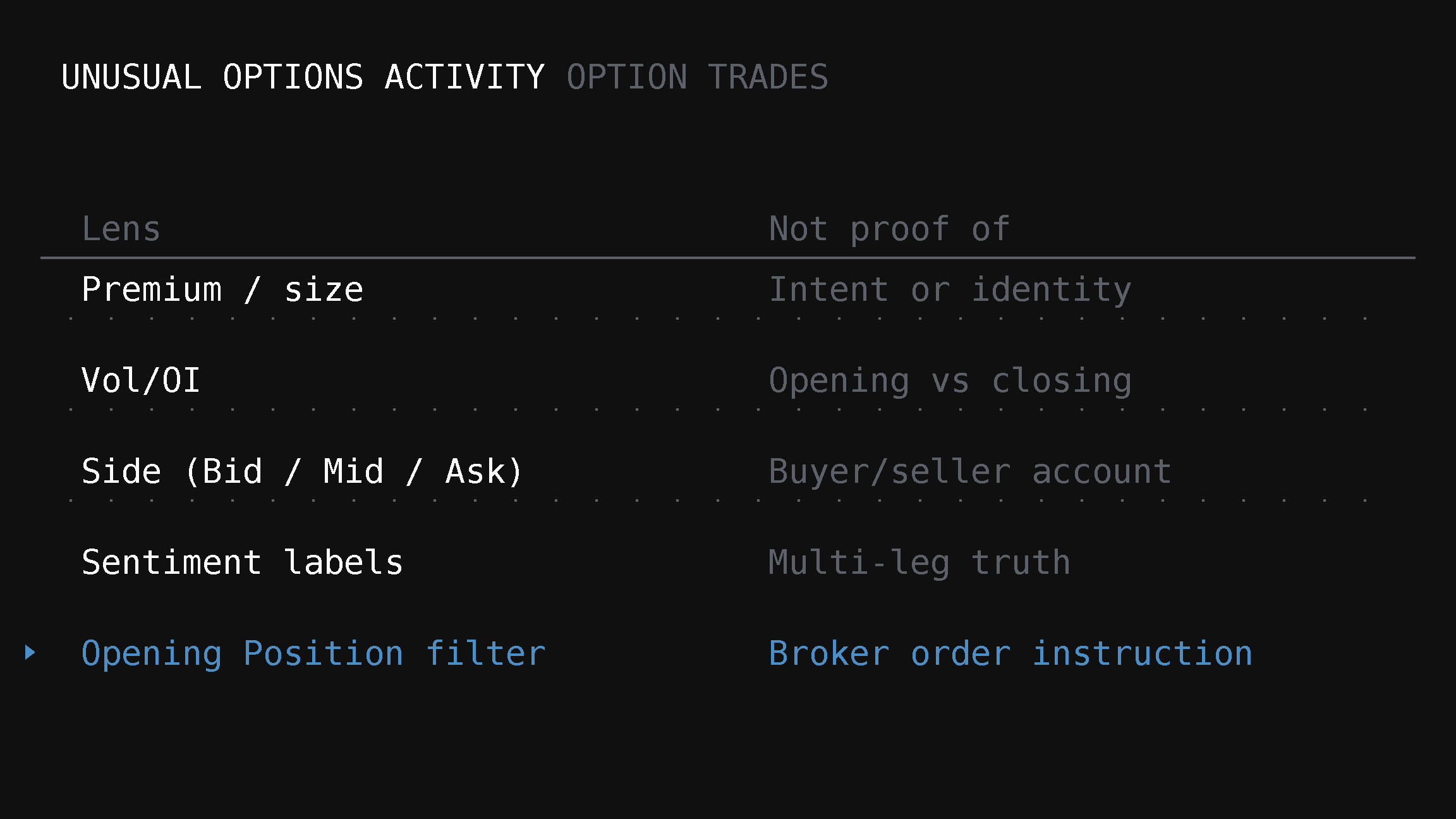
Unusual Options Activity Is Not a Signal Until the Tape Checks Out

UOA alerts are noise without filters, print-level tape, and open-interest context. TradingFlow’s Option Trades and Rank surfaces make that audit possible.

Market Analysis2 min read2026-08-06

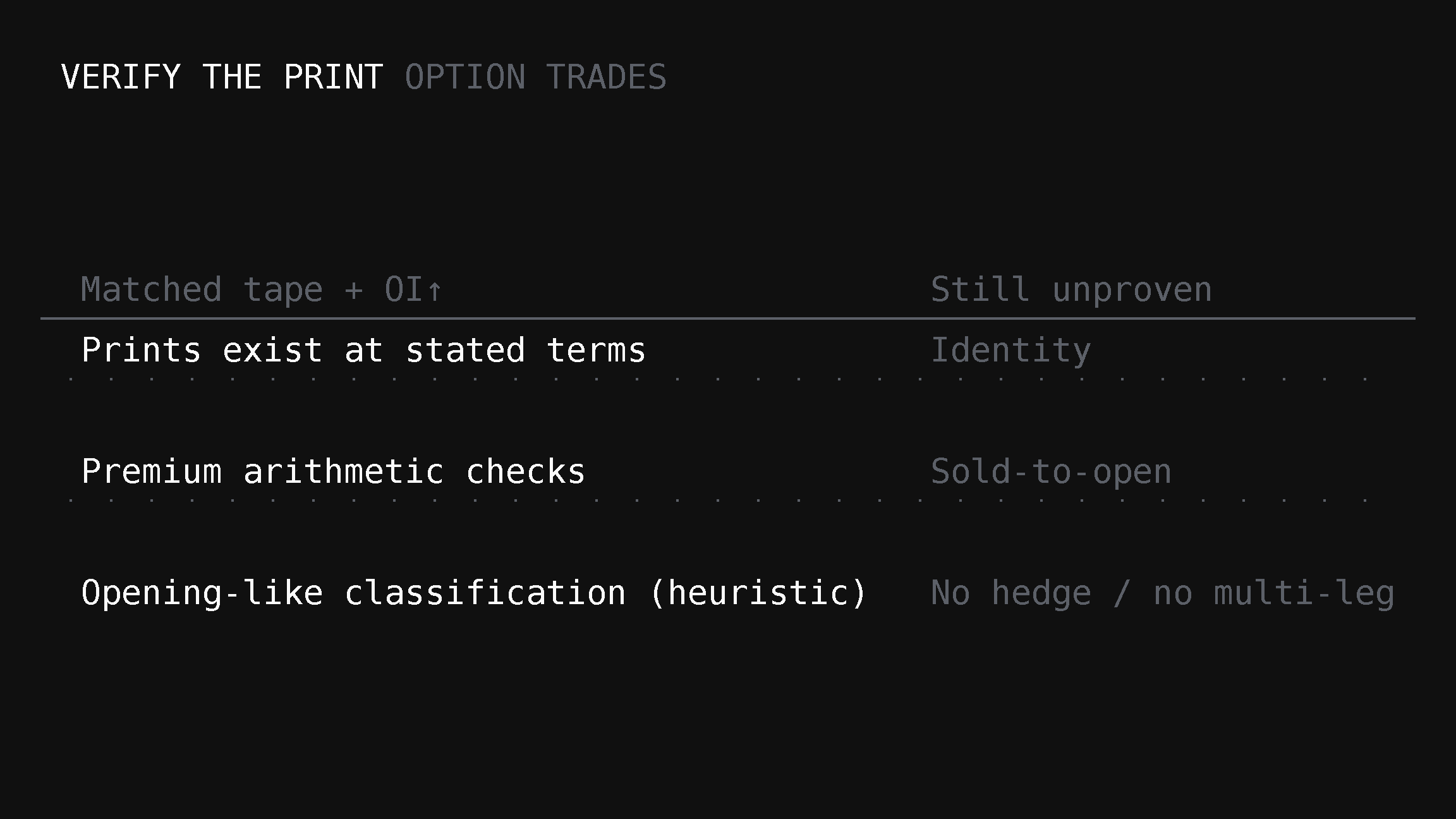
Single-Name Lottery Options: Verify the Print Before the Story

OTM single-name packages go viral as lottery tickets. TradingFlow’s process is claim → exact filters → tape match → OI limits—before any narrative about intent.

Market Analysis3 min read2026-08-06

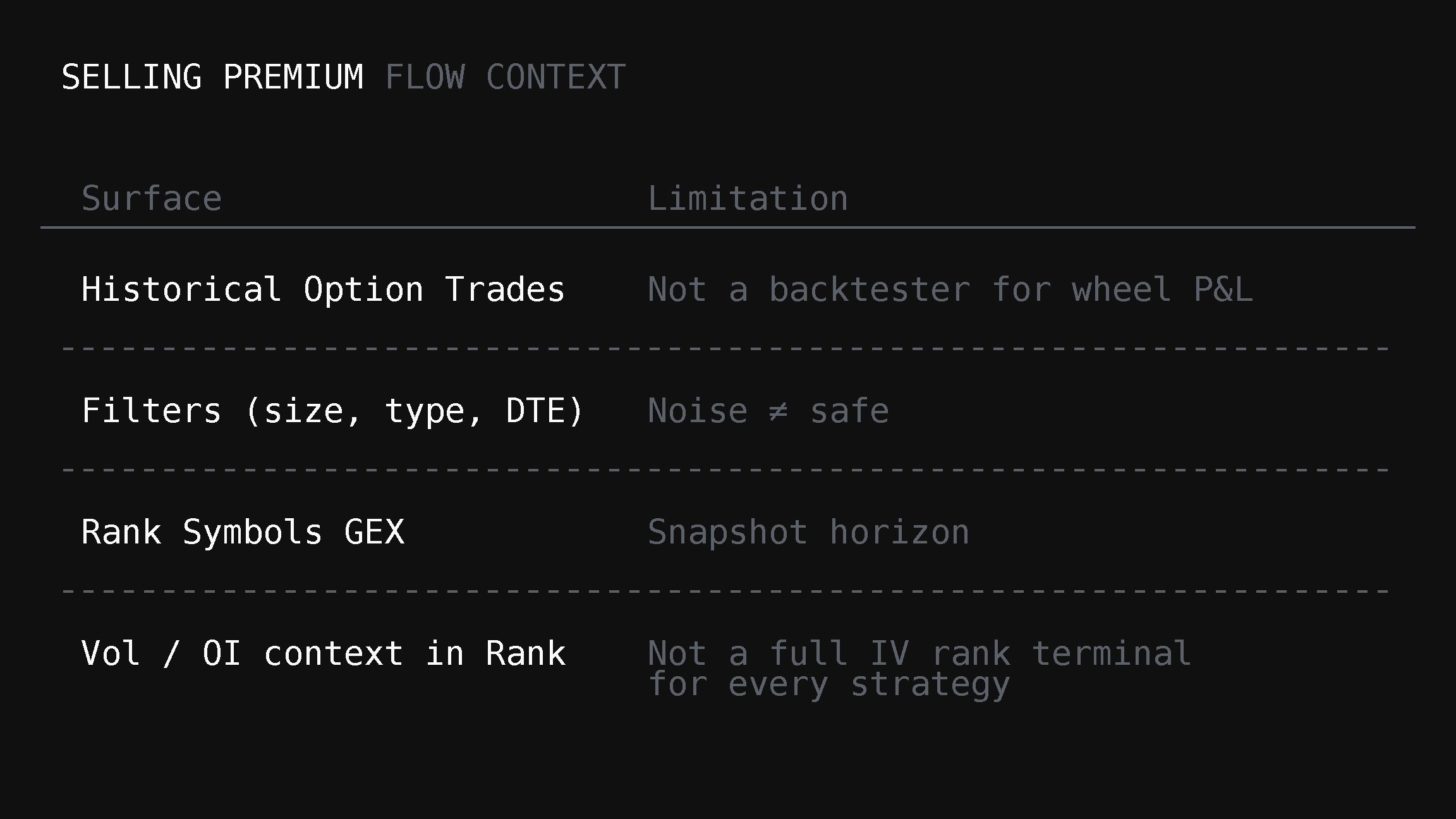
Selling Premium with Flow Context (What TradingFlow Can and Cannot Show)

Theta and wheel discussions dominate Reddit. TradingFlow is not a theta desk—but historical flow, OI, IV context, and GEX risk maps still help sellers avoid blind short-gamma spots.

Market Analysis8 min read2026-08-01

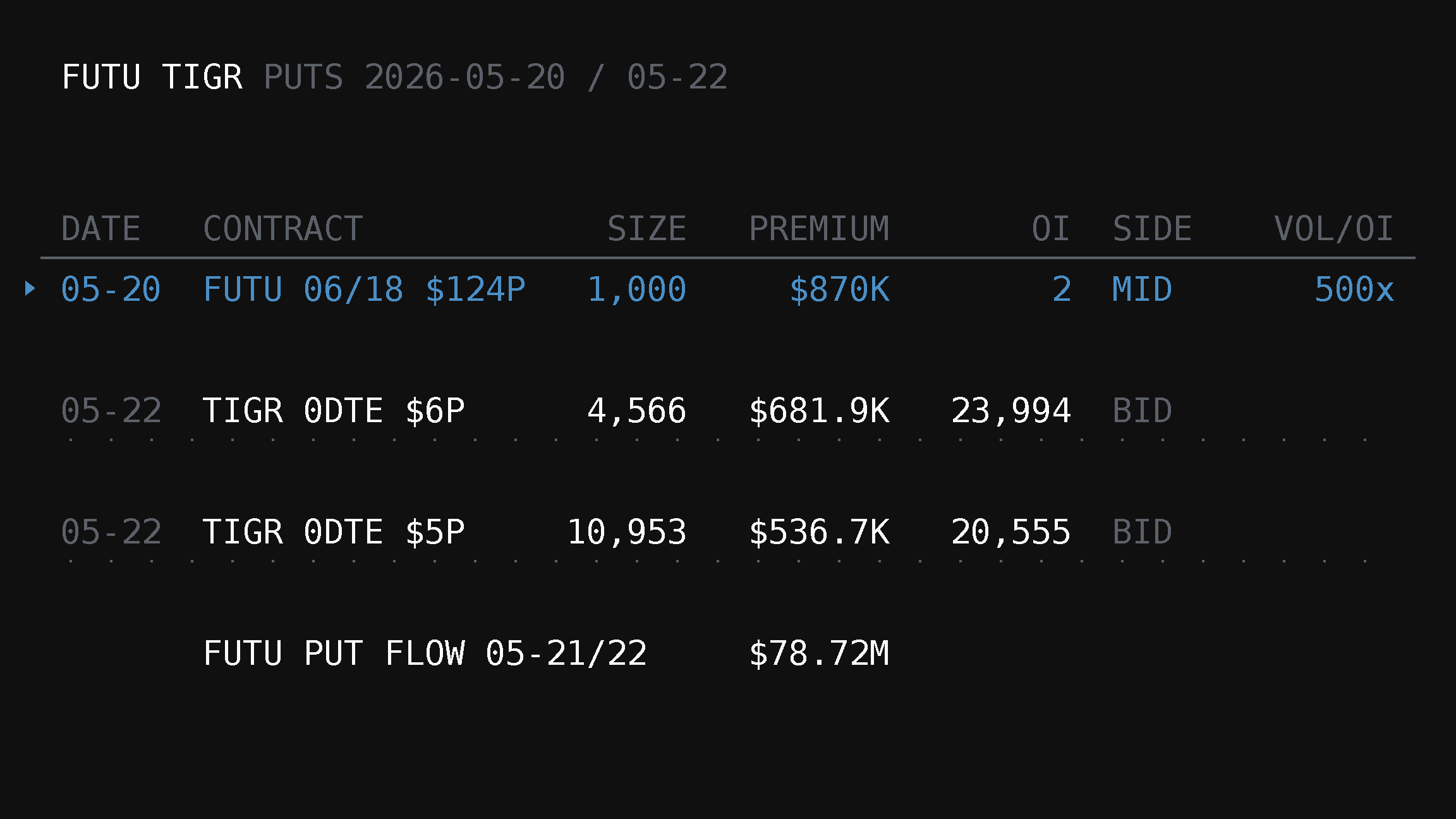
Did $12M in FUTU–TIGR Puts Become $100M? What the Tape Shows

A court complaint alleged traders spent about $12 million on FUTU and TIGR puts before regulatory news and made more than $100 million. TradingFlow found an $870K pre-news FUTU put print at 500x Vol/OI—but the tape cannot prove identity, intent, or insider trading.

Product2 min read2026-04-28

OI Change Rank (retired): where cross-symbol OI ranking went

The standalone OI Change Rank app and /app/oi-change-rank are removed from the product (2026). Per-symbol OI context now lives in the Positioning tab of the Rank Symbols inspection drawer.