Read the live tape
Option prints, aggregate flow, candles, and contract rankings through eight read-only data tools.
TradingFlow AI
Traders run Rank → tape → structure. Agents query the same data through MCP. Default access is read-only. Execution, if it happens, is a separate user gate on a connected broker. We do not trade for you.
Paid access. AI Chat, recipe editing, and MCP availability depend on your account.
Example workflow
“What stands out in this options flow?”
An explanation you can investigate.
Ask a follow-up, inspect the underlying rows, or request a chart.AI Chat
Keep your question next to the chart, ranking, or tape that prompted it. TradingFlow AI understands the view you have open and can investigate with market-data tools.
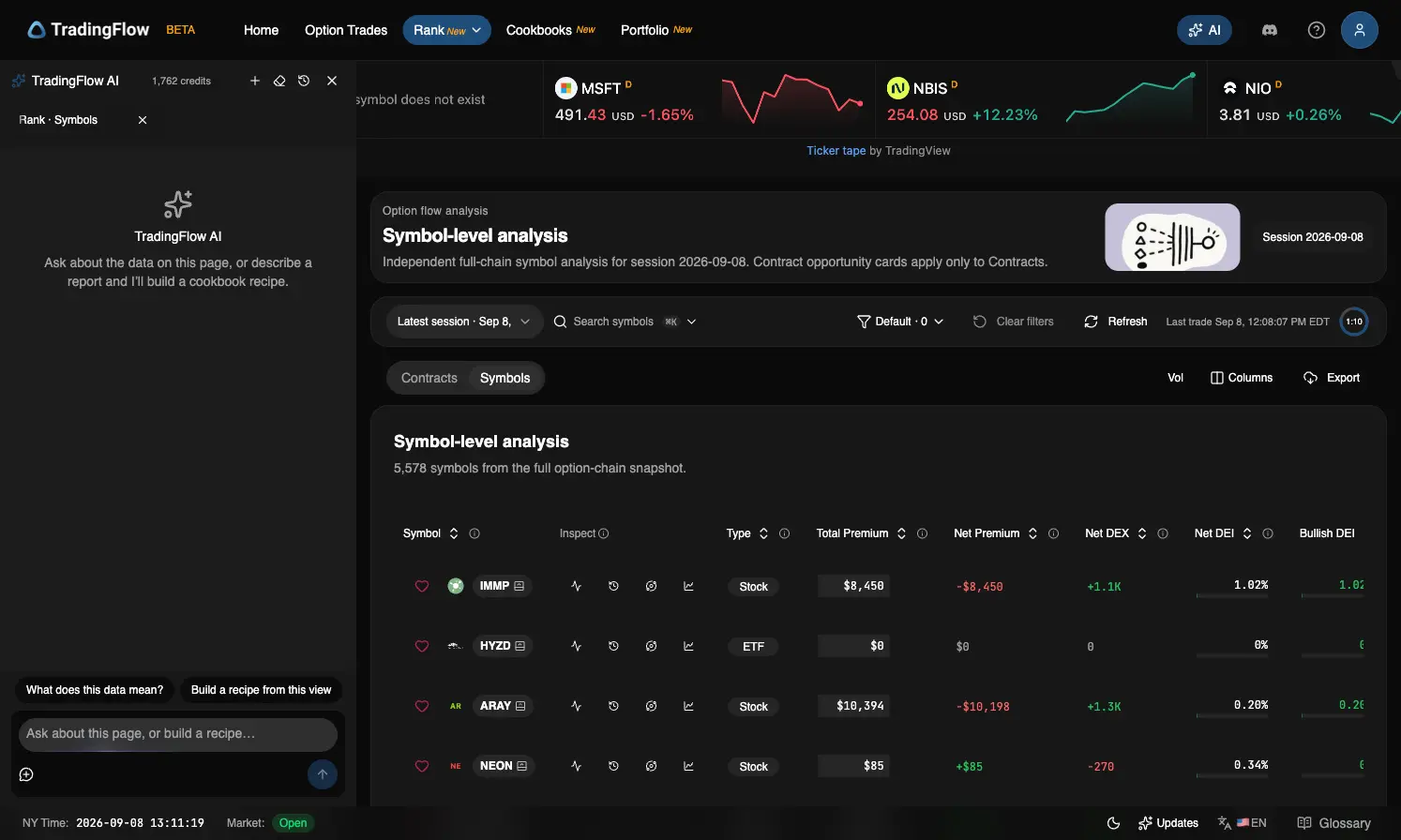
“Compare the strongest net-premium names in this view. What should I inspect on the tape next?”
Recipes
Turn the questions you ask every session into a report you can rerun. Start with an official Cookbook or describe your own idea, then refine its charts, tables, and inputs with AI.
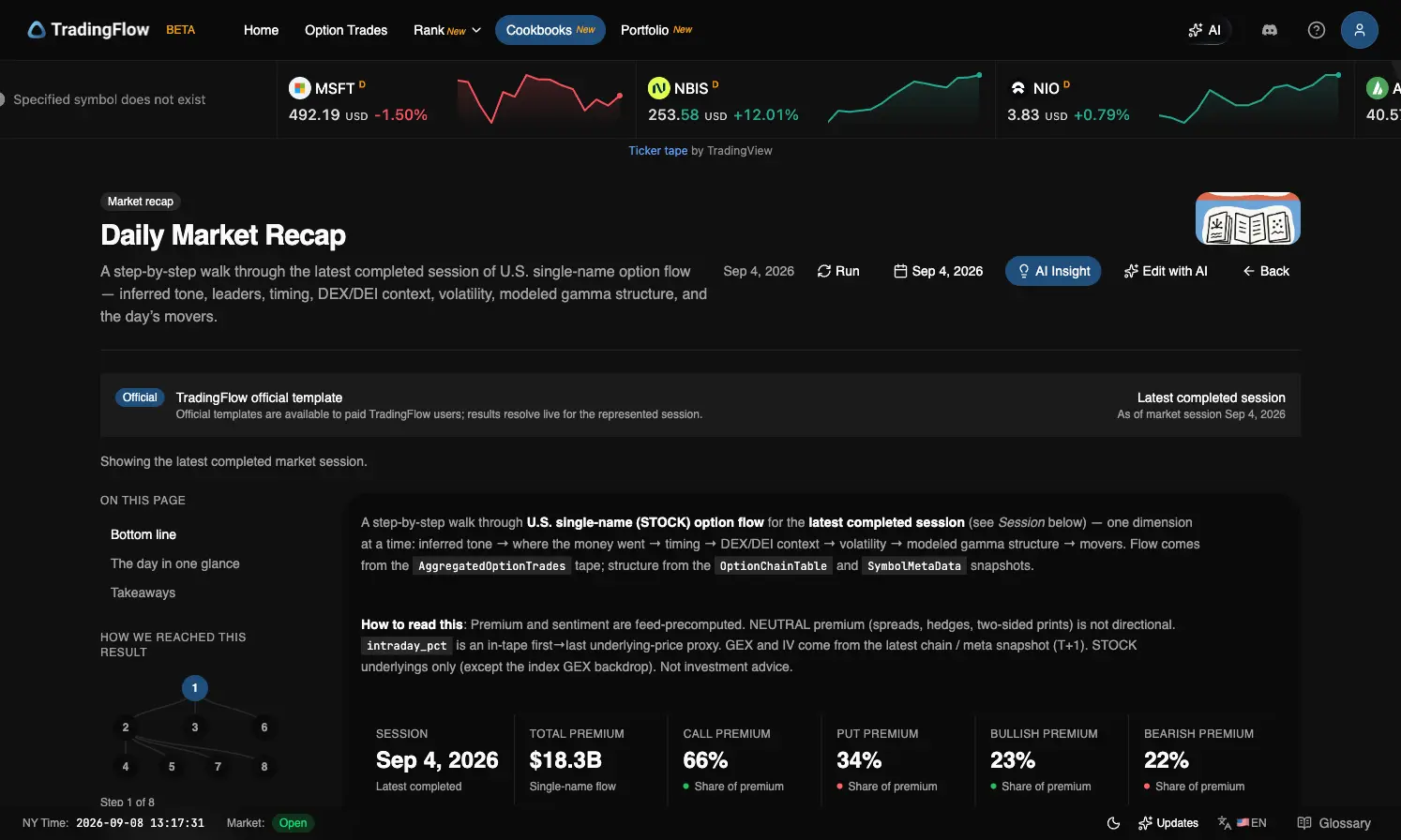
“Create a net-premium leaders report with a bar chart, a table, and a symbol filter.”
MCP
Add one remote MCP server and Claude, Cursor, Codex, or OpenClaw queries the same Rank, tape, and structure data you use in the app. The default connection is read-only. It cannot send an order.
https://app.tradingflow.com/api/mcpAdd this URL in your client’s MCP settings. Claude signs in with your TradingFlow account. Cursor, Codex, OpenClaw, and scripts send an API key from the Connect page.
Or paste this into your coding agent and it connects itself:
Connect this project to TradingFlow's MCP server at https://app.tradingflow.com/api/mcp (streamable HTTP). Claude Code signs in: run `claude mcp add --transport http tradingflow https://app.tradingflow.com/api/mcp`, then `claude mcp login tradingflow`. Any other client sends an x-api-key header with a key from https://app.tradingflow.com/app/settings/mcp-connect; ask me for the key, never invent one. The server is read-only and cannot send an order. Read the server's tool list before calling anything; do not invent tool names. Reference: https://app.tradingflow.com/docs/mcp
Option prints, aggregate flow, candles, and contract rankings through eight read-only data tools.
Named metrics and dimensions compiled to SQL. Your agent reads the catalog first, then asks in those terms.
Read-only by default. Access is checked on every call, and recipe writes need a separate opt-in key.
Paid account with MCP access required. Your agent’s own usage charges apply; MCP queries do not use TradingFlow AI credits. Claude connects by signing in; any other client sends an API-key header.
Daily Market Recap brings session tone, activity, exposure, volatility, and market structure into one Cookbook report. Choose a session, run the report, and ask AI Insight to help you read it.
How the tools work, what you can connect, and where you stay in control.
Ask it to explain the Rank view, investigate options flow, compare a symbol’s positioning, or visualize a market-data question. The assistant uses your current page context and read-only tools. It can answer with text, charts, tables, and links to the relevant app views. Review its output against the underlying data.
A recipe is a reusable research report with data queries, charts, tables, and summary blocks. Open an official template in Cookbooks, choose a session date, and run it. When recipe editing is enabled for your account, you can create a private recipe or fork a template, refine it with AI, review the preview, and explicitly save it under My recipes.
Claude signs in with your TradingFlow account: claude.ai, Claude Desktop, the mobile apps, Cowork, and Claude Code connect with no API key. Cursor, Codex, OpenClaw, and any other client that sends an API-key header connect with a key from the in-app Connect page. ChatGPT and other hosted chat sites that cannot send a key are not supported. The setup card above has each client’s current snippet.
Cookbooks requires a paid subscription. AI Chat, recipe authoring, and MCP also depend on account availability. In-app AI replies require consent and use TradingFlow AI credits. MCP data queries do not use TradingFlow AI credits; reasoning is handled by your connected agent and uses that agent’s own plan or API budget.
TradingFlow is a research tool and does not place trades. In-app AI recipe changes are reviewed in a preview and saved explicitly by you. MCP uses read-only access by default. Optional recipe-write permissions are separate and require explicit setup and confirmation.
Different datasets have different clocks. Options flow can update during the session, while open interest and some market-structure metrics use dated snapshots. Check the represented session and freshness labels. Recipes run for the session you select; their results and AI explanations are research inputs, not predictions or investment advice.
Explore the flow, build a repeatable report, or connect the agent you already work with.
Research tools for self-directed traders. AI can make mistakes; verify the data and apply your own risk controls.