
Connect Claude to TradingFlow without an API key
Claude now signs in to TradingFlow with your TradingFlow account. Add the connector once, then ask about live options flow from claude.ai, Claude Desktop, mobile, Cowork, or Claude Code without copying a key.
Connecting an AI tool should make research easier without making access rules less clear. TradingFlow's Claude connection now signs in with your TradingFlow account, so you no longer copy a long-lived API key into Claude. The same connection works in claude.ai, Claude Desktop, the mobile apps, Cowork, and Claude Code.
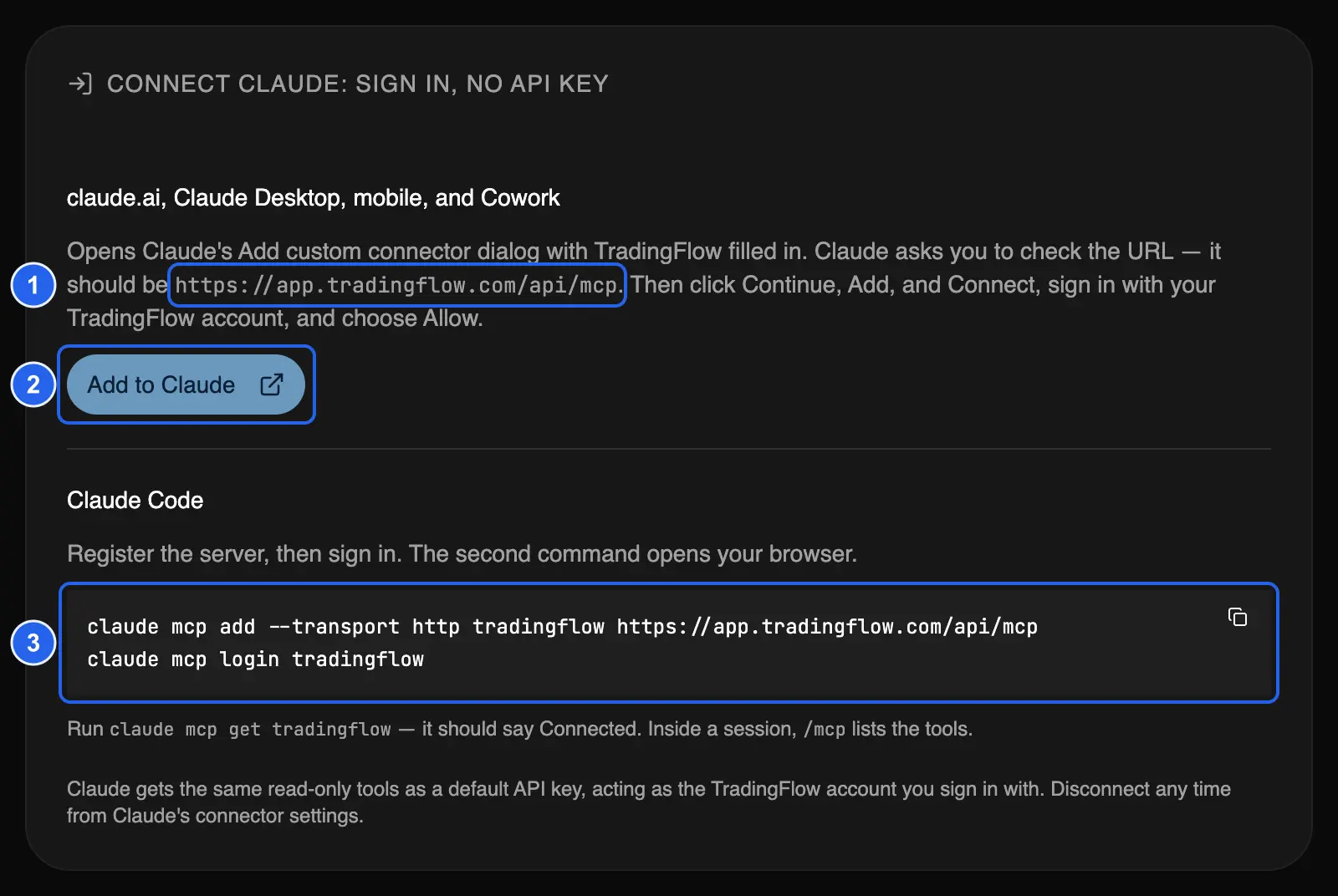
Test app, October 1, 2026, with the endpoint shown as it appears on app.tradingflow.com. 1: the server URL Claude should show. 2: Add to Claude. 3: the two Claude Code commands.
Open it in TradingFlow: Settings → Connect an AI agent.
What you need
- A paid TradingFlow plan. Access is checked again on every call, so a lapsed subscription stops the connection on its next request.
- A Claude account that can add custom connectors.
Nothing else is installed. Claude connects to one remote endpoint, https://app.tradingflow.com/api/mcp.
Connect in claude.ai, Claude Desktop, mobile, or Cowork
1. Choose Add to Claude. In TradingFlow, open Settings → Connect an AI agent. The Connect Claude: sign in, no API key card comes first. Choose Add to Claude.
2. Review the disclaimer. A short dialog repeats that TradingFlow is a research and analytics tool, not financial advice, and links the Terms of Use and Privacy Policy. Choose I agree — continue to Claude. Nothing is created in TradingFlow at this step.
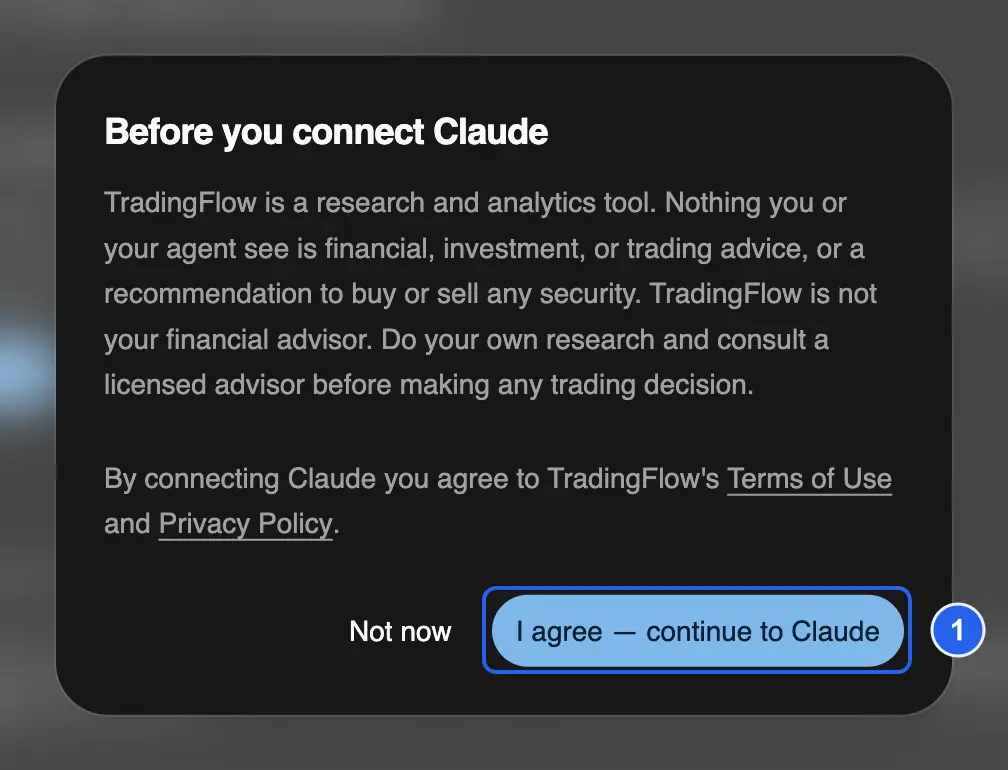
Test app, October 1, 2026. 1: continue to Claude after reading the disclaimer, Terms of Use, and Privacy Policy.
3. Check the name and URL in Claude. Claude's Add custom connector dialog opens with TradingFlow filled in. Claude warns that the connector came from an external link, which is expected: confirm that the name is TradingFlow and the URL is exactly https://app.tradingflow.com/api/mcp, then choose Continue.
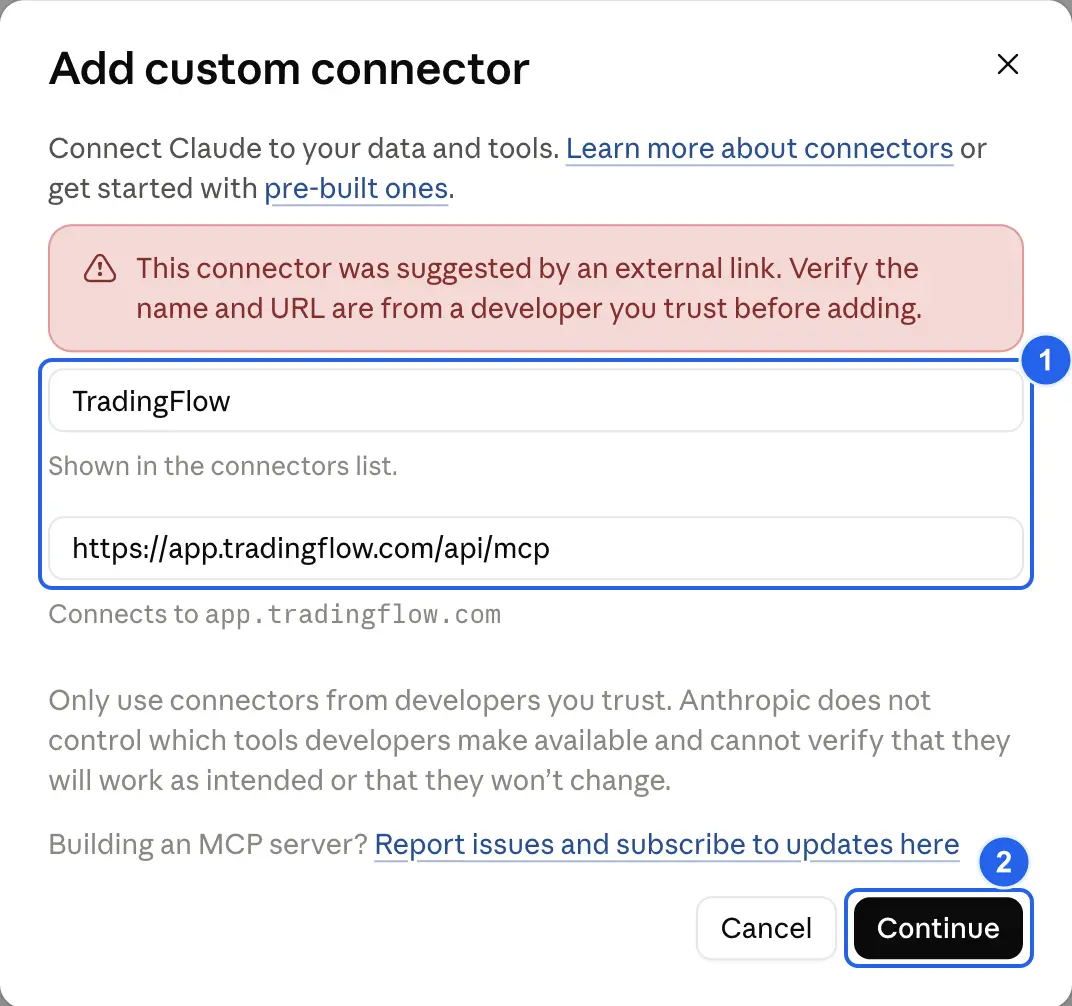
Claude, October 1, 2026. 1: the prefilled name and server URL to verify. 2: Continue.
4. Keep the detected sign-in settings. Claude detects that TradingFlow uses account sign-in (Sign in now) and Claude's own published client identity. Leave both as detected and choose Add.
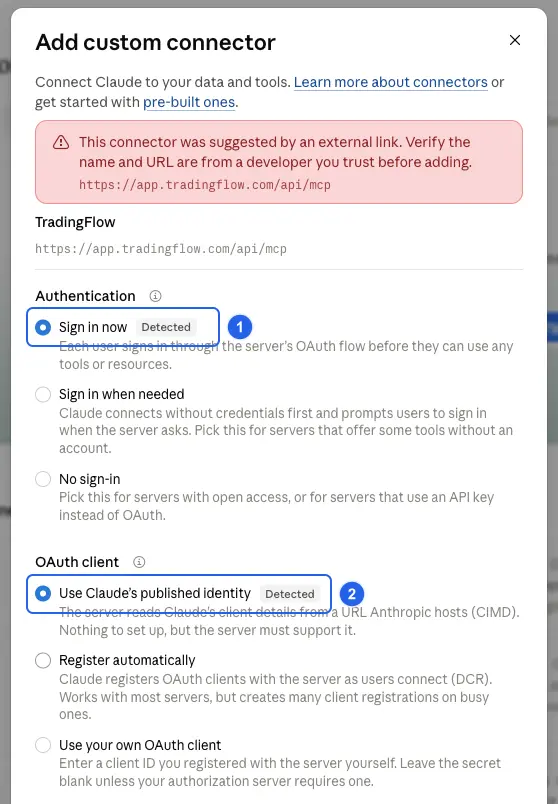
Claude, October 1, 2026. 1: Sign in now, detected. 2: Use Claude's published identity, detected.
5. Sign in and allow access. On the connector page, choose Connect (Claude may label it Reconnect). TradingFlow's sign-in page asks whether Claude may access TradingFlow on behalf of your account. Choose Allow.
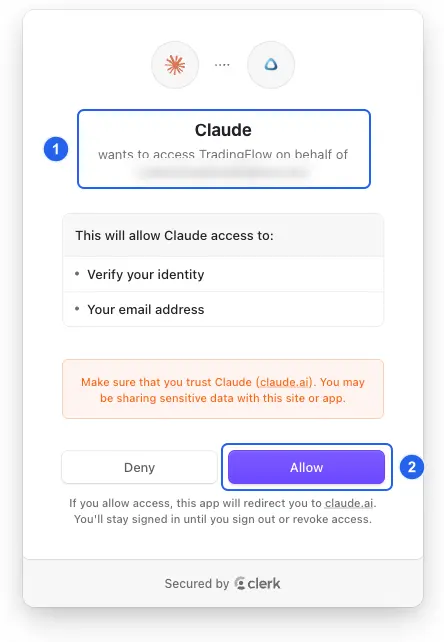
Production sign-in page, October 1, 2026; the account email is pixelated. 1: the request from Claude. 2: Allow.
6. Confirm the tools. Claude returns to the connector page, which now shows Disconnect and eight read-only tools.
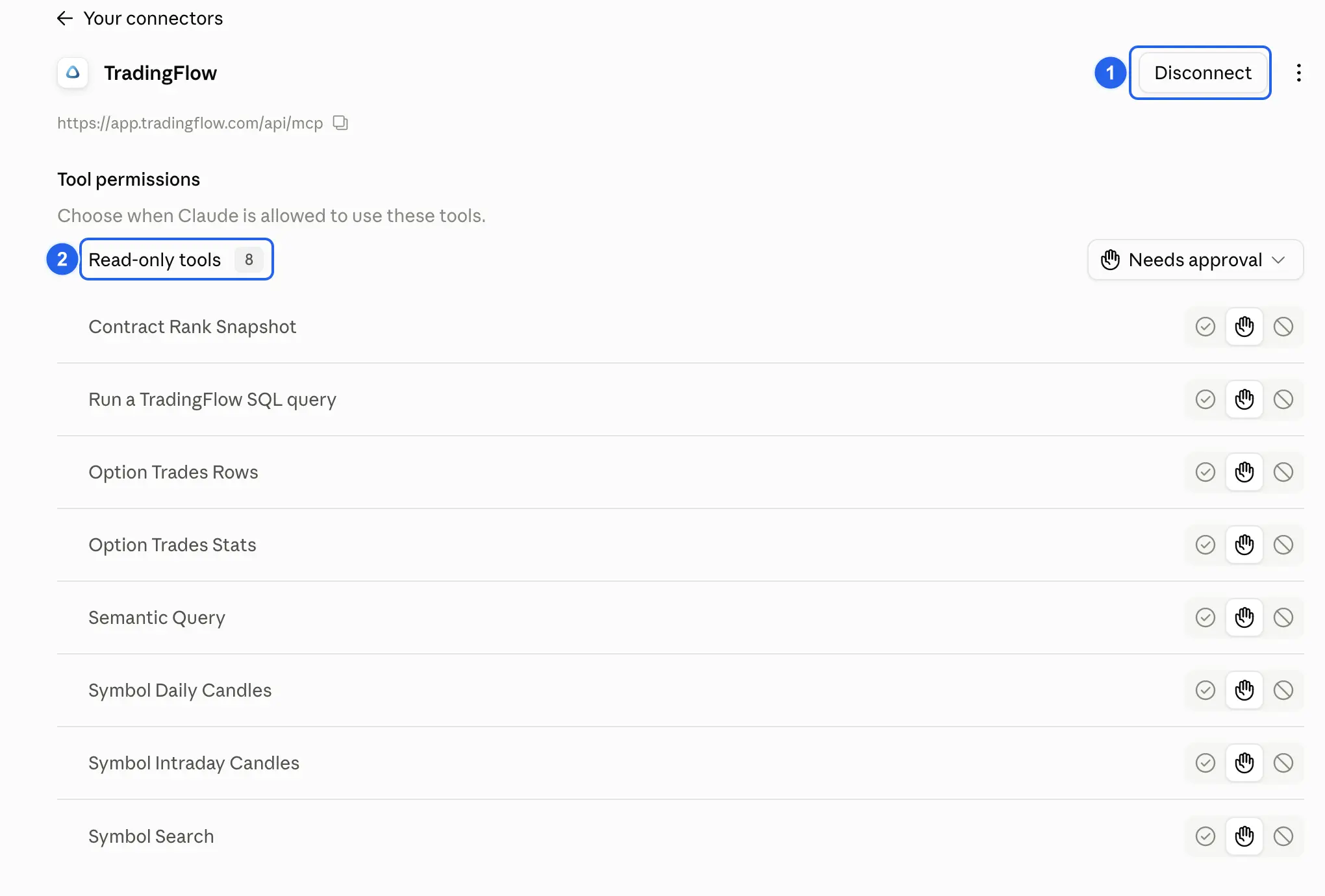
Claude, October 1, 2026. 1: connected, with Disconnect available. 2: the eight read-only tools.
Ask your first question
Start a new chat and check that TradingFlow is turned on under + → Connectors. Then ask a question the tools can answer, for example:
Using the TradingFlow connector, what are BRK.B's top 3 option contracts by premium today? For each, give strike, expiration, call/put, and premium.
Claude asks before each tool call unless you change the connector's Tool permissions. A model saying it is connected is not proof; the answer should show that Claude used the TradingFlow integration.
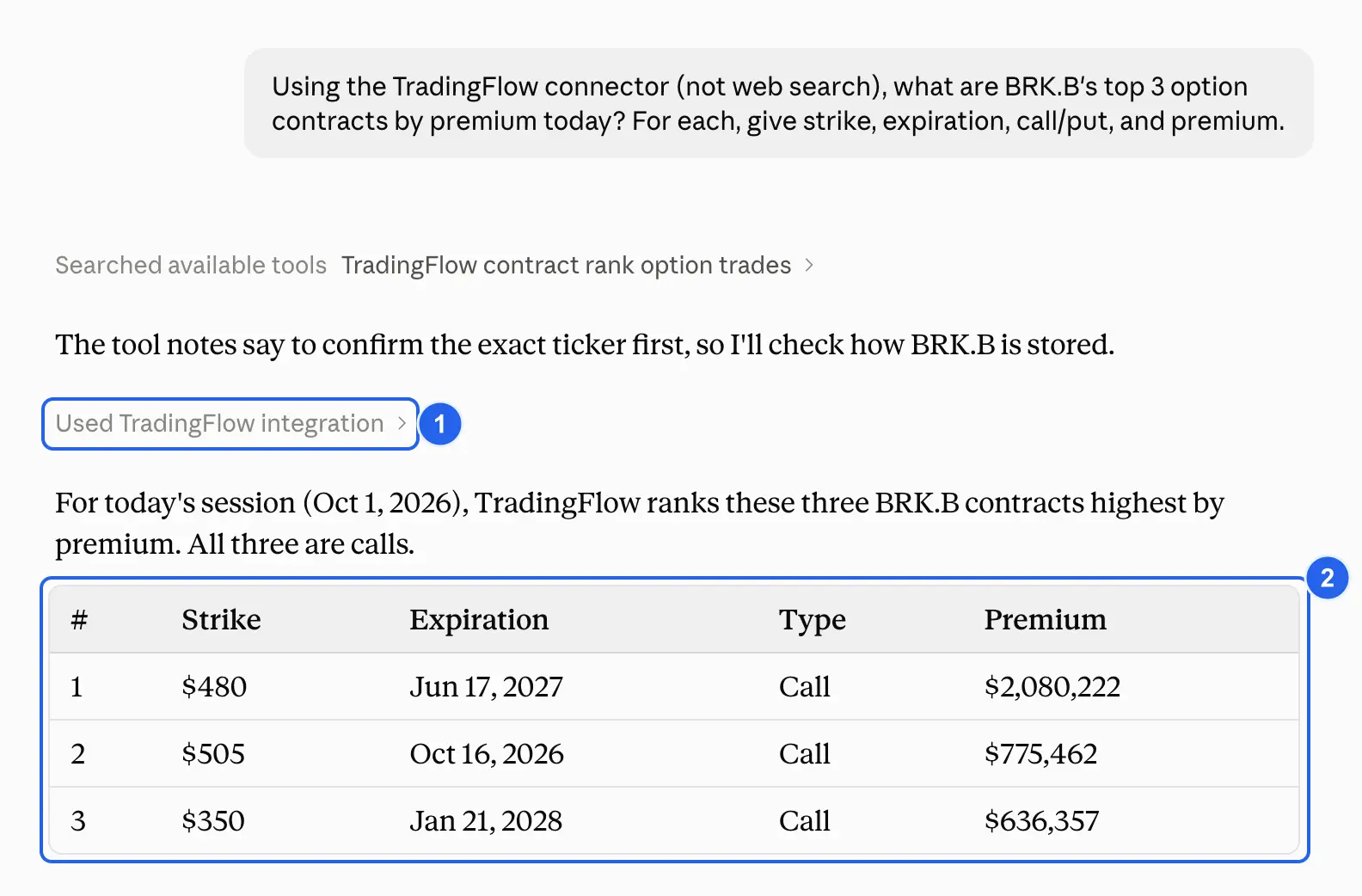
Claude, production data, October 1, 2026, intraday. 1: Claude used the TradingFlow integration. 2: the answer built from that data. Session values change during the day and are not forecasts.
Claude Code
Claude Code uses the same sign-in. Register the server, then sign in; the second command opens your browser:
claude mcp add --transport http tradingflow https://app.tradingflow.com/api/mcp
claude mcp login tradingflow
Run claude mcp get tradingflow and check that it says Connected. Inside a session, /mcp lists the tools.
What the connection can do
- Claude gets the default read-only tools: option trades, contract ranking, candles, symbol search, governed metrics, and read-only SQL.
- It cannot write recipes, change your account, or place trades.
- Every call acts as the TradingFlow account you signed in with and rechecks your access.
- Disconnect any time from Claude's connector settings, or run
claude mcp logout tradingflowin Claude Code.
Cursor, Codex, and OpenClaw keep using the API-key instructions on the same page; the Claude sign-in does not replace their setup. The MCP server reference lists every tool, limit, and error code.
TradingFlow is a research and analytics tool, not financial advice. Ask the connected client to show its data and limitations rather than treating its output as a trading recommendation. Start from TradingFlow App Home.
Related Articles
Create custom formula columns in TradingFlow Rank
TradingFlow Rank now lets paid users create row-level numeric columns for Contracts and Symbols, validate them against approved fields, and keep the definitions inside saved views.
Filter GEX wall flow by horizon: All and 0DTE in Rank
Rank Contracts now separates all-expiration and exact-0DTE Wall Flow filters, so paid users can narrow the same-session evidence to the horizon they are researching.
Same Number, Every Surface: TradingFlow's Governed Metrics Layer
TradingFlow's own pages and Cookbooks reports compute Net DEX, DEI, and sentiment from one small, governed registry — the same registry the AI assistant and MCP are built on as they roll out beyond internal accounts. Here's how it works, and why it's deliberately small.