Same Number, Every Surface: TradingFlow's Governed Metrics Layer
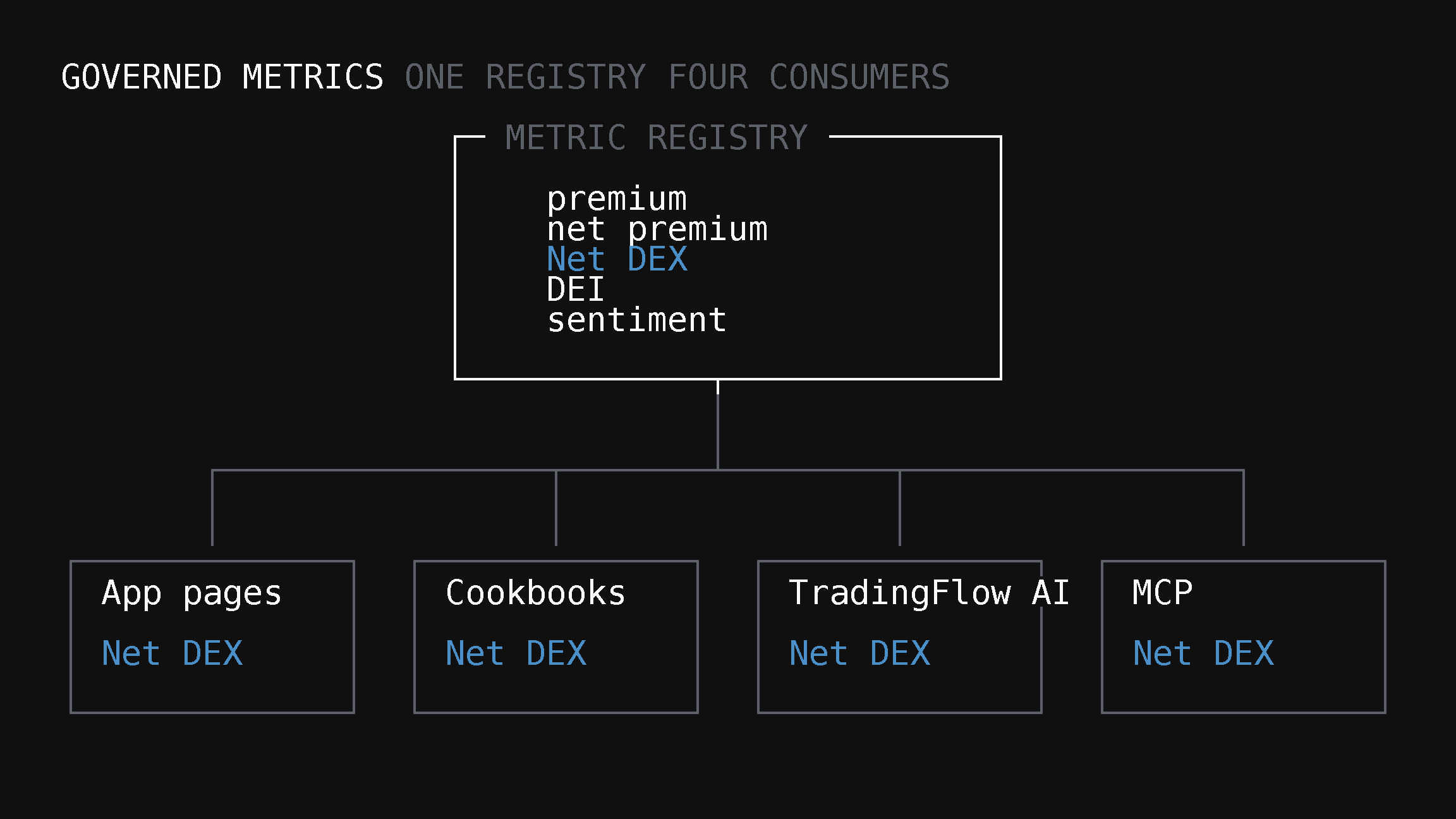
TradingFlow's own pages and Cookbooks reports compute Net DEX, DEI, and sentiment from one small, governed registry — the same registry the AI assistant and MCP are built on as they roll out beyond internal accounts. Here's how it works, and why it's deliberately small.
Here's a failure mode most data platforms have and never talk about: the dashboard says a stock's flow is bullish, the chatbot says it's neutral, and an exported report says something in between — because three different pieces of code computed "sentiment" three slightly different ways. Nobody notices until someone compares them side by side. Once they do, they stop trusting all three, not just the wrong one.
TradingFlow's answer to that failure mode isn't a bigger team of people manually keeping numbers in sync. It's a small, deliberately narrow piece of infrastructure: one governed metrics registry that every surface is built to read from instead of computing its own version — the app's own pages and Cookbooks reports today, with TradingFlow AI and MCP wired to the same registry as they roll out beyond internal accounts.
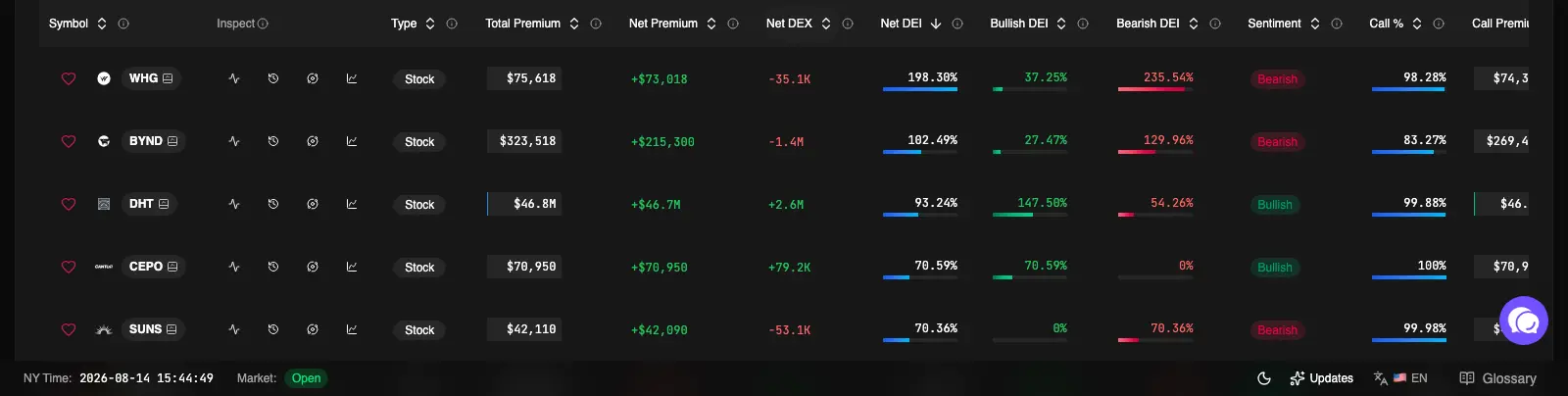
Net DEX, Net DEI, and Sentiment on Rank Symbols aren't three separate calculations happening to agree. They're the same governed definitions the rest of this piece describes.
What "governed" actually means here
A metric in this registry isn't just a formula. Each one is a small bundle of facts, defined once:
- What it's called and what question it answers — Net DEX answers "which way did directional flow lean," DEI answers "how big was that relative to the name's normal size."
- Where it comes from — which underlying data it reads, and on what schedule that data updates.
- How it's signed and scaled — so "positive" means the same thing everywhere it appears.
- Who's allowed to see it — a metric that's paid-only stays paid-only no matter which surface asks for it.
That bundling matters more than it sounds like it should. It's the reason you'll see the same freshness caveat next to GEX everywhere it shows up on TradingFlow — not because someone remembered to retype it in four places, but because the caveat is attached to the metric's definition itself, not to any one screen showing it.
One registry, four consumers
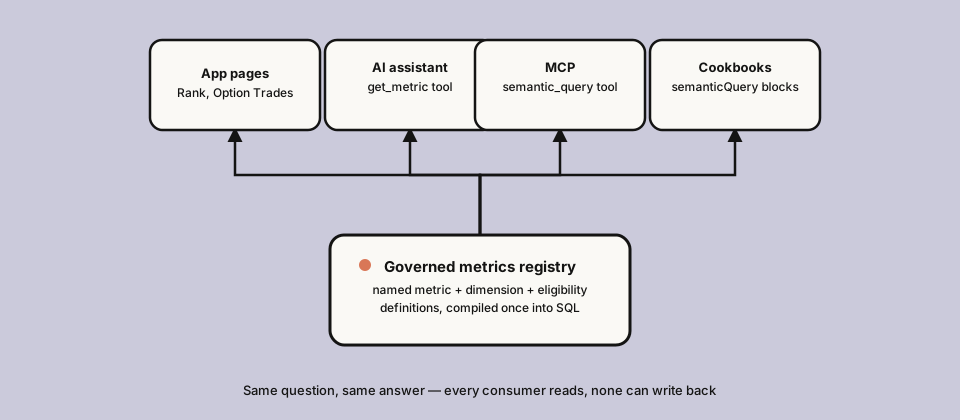
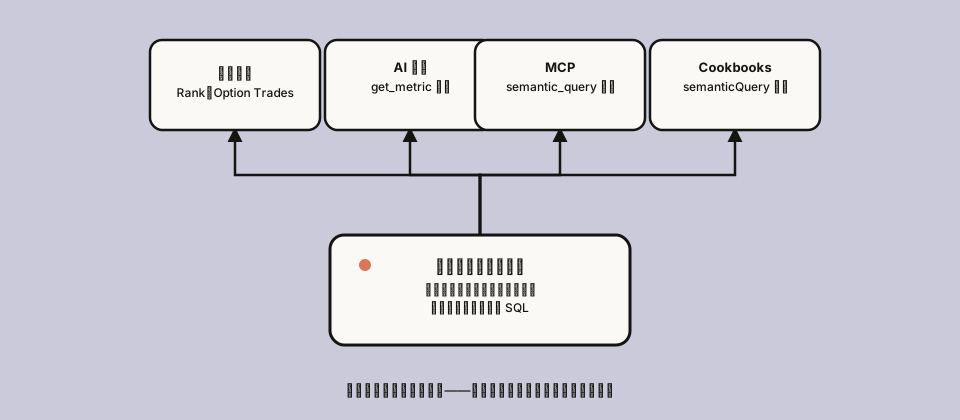
Four surfaces, built to read from the same place — the app's pages and Cookbooks are live today; the AI assistant and MCP are wired to the same registry and rolling out beyond internal accounts. None of the four can write back to it — the registry only ever answers questions, it never changes what happened in the market or in your account.
Concretely, four things are built to draw from the identical registry:
- App pages — Rank and Option Trades compute their columns from it directly. Live today.
- Cookbooks — a recipe like Daily Market Recap is built from named queries against this same catalog. See the day's premium and sentiment split computed this way in a real run below. Live today.
- TradingFlow AI — when you ask the assistant a data question, it's designed not to write its own SQL: it calls a tool that composes an answer from the same named metrics, so its numbers can't quietly drift from what the page next to it shows. Currently rolling out beyond internal accounts.
- MCP — for readers who connect their own AI tools to TradingFlow's data, the same governed catalog is what those tools are built to query too, so nothing external gets a side door to different numbers than the app shows. Currently rolling out beyond internal accounts.
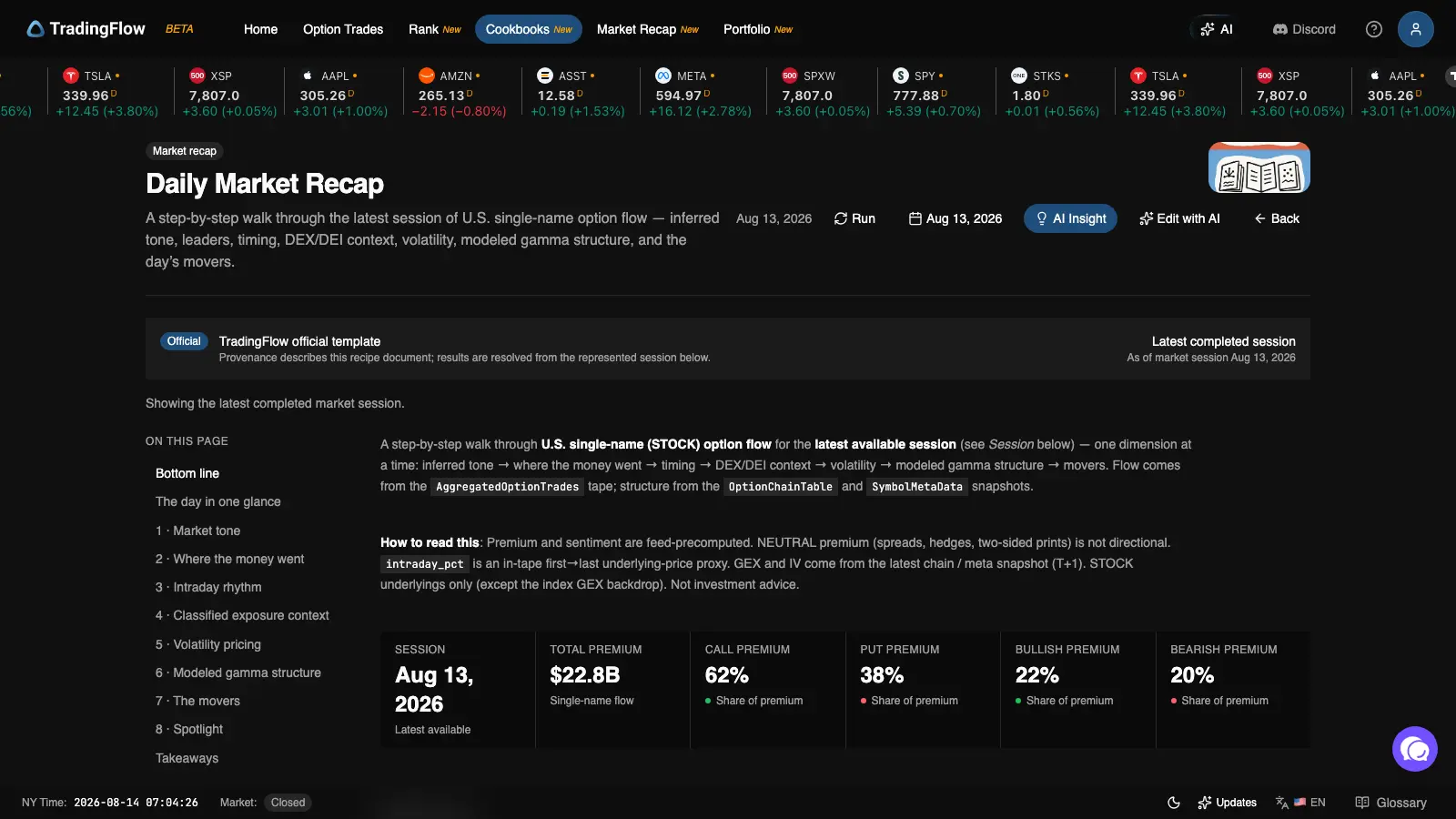
The premium and sentiment split at the top of a Daily Market Recap run — the same governed definitions as the Rank Symbols columns above, just aggregated to the whole session instead of one name.
Why the registry stays small on purpose
It would be easy to read "governed metrics layer" and picture something sprawling — a full data catalog, a graph of every entity in the business and how they relate. TradingFlow's is deliberately not that. It covers a short, closed list of metrics (premium, net premium, Net DEX, DEI, sentiment, and a few trade-level counts), and it does exactly one job: compile a question into a single, safe, read-only query.
Two restrictions are the actual point, not limitations to apologize for:
- It only reads. Nothing in this layer — not the AI assistant, not MCP, not a Cookbooks recipe — can use it to change data, place a trade, or alter your account. It answers questions; it never acts.
- The model can't write its own SQL against your data. When TradingFlow AI or an MCP client asks a question, it's choosing from named, pre-approved metrics and filters — not composing arbitrary queries. That's a narrower capability than a general text-to-SQL tool, deliberately: narrower is what makes "the numbers can't drift" a claim TradingFlow can actually stand behind, instead of a hope.
A bigger, more general system would have been easy to build and harder to trust. This one is small enough that "does the assistant's number match the page" is a question with a mechanical answer, not a QA process.
What this means for you, practically
You don't need to think about any of this to use TradingFlow — that's the point. But it does mean a few things are true whenever you're comparing evidence across surfaces:
| If you see this metric here... | ...it means the same thing here |
|---|---|
| Net DEX on Rank Symbols | Net DEX in a Cookbooks report's exposure chapter |
| Sentiment on Rank Symbols | Sentiment aggregated to the whole session in a Daily Market Recap run |
If two of those ever disagree, that's a bug worth reporting, not an inherent feature of comparing a page to a report. Once TradingFlow AI and MCP are open beyond internal accounts, this same check extends to comparing a page against a chatbot answer or your own connected tool — same registry, same bar.
Read the concepts behind the metrics
- Delta Exposure (DEX) explained — what Net DEX and DEI actually measure
- Gamma Exposure (GEX) explained — why GEX is labeled T+1 everywhere it appears
- Options & Flow Concepts — sentiment, side, and moneyness from first principles
- Cookbooks & Market Recap tutorial — where recipe-level metrics show up in a full report
None of this is investment advice, and consistency across surfaces isn't the same thing as a trading signal — it just means you can trust that when TradingFlow shows you the same number twice, it's actually the same number.
Ready to see it for yourself? Open TradingFlow.
Related Articles
Connect Claude to TradingFlow without an API key
Claude now signs in to TradingFlow with your TradingFlow account. Add the connector once, then ask about live options flow from claude.ai, Claude Desktop, mobile, Cowork, or Claude Code without copying a key.
Filter GEX wall flow by horizon: All and 0DTE in Rank
Rank Contracts now separates all-expiration and exact-0DTE Wall Flow filters, so paid users can narrow the same-session evidence to the horizon they are researching.
Daily Market Recap: Read a Full Options Session in TradingFlow Cookbooks
TradingFlow's Cookbooks turn a live options-flow session into a guided report. Daily Market Recap walks eight chapters — tone, money flow, timing, DEX/DEI, volatility, GEX, movers, and a headline name — each with real evidence next to the explanation, not baked-in prose.