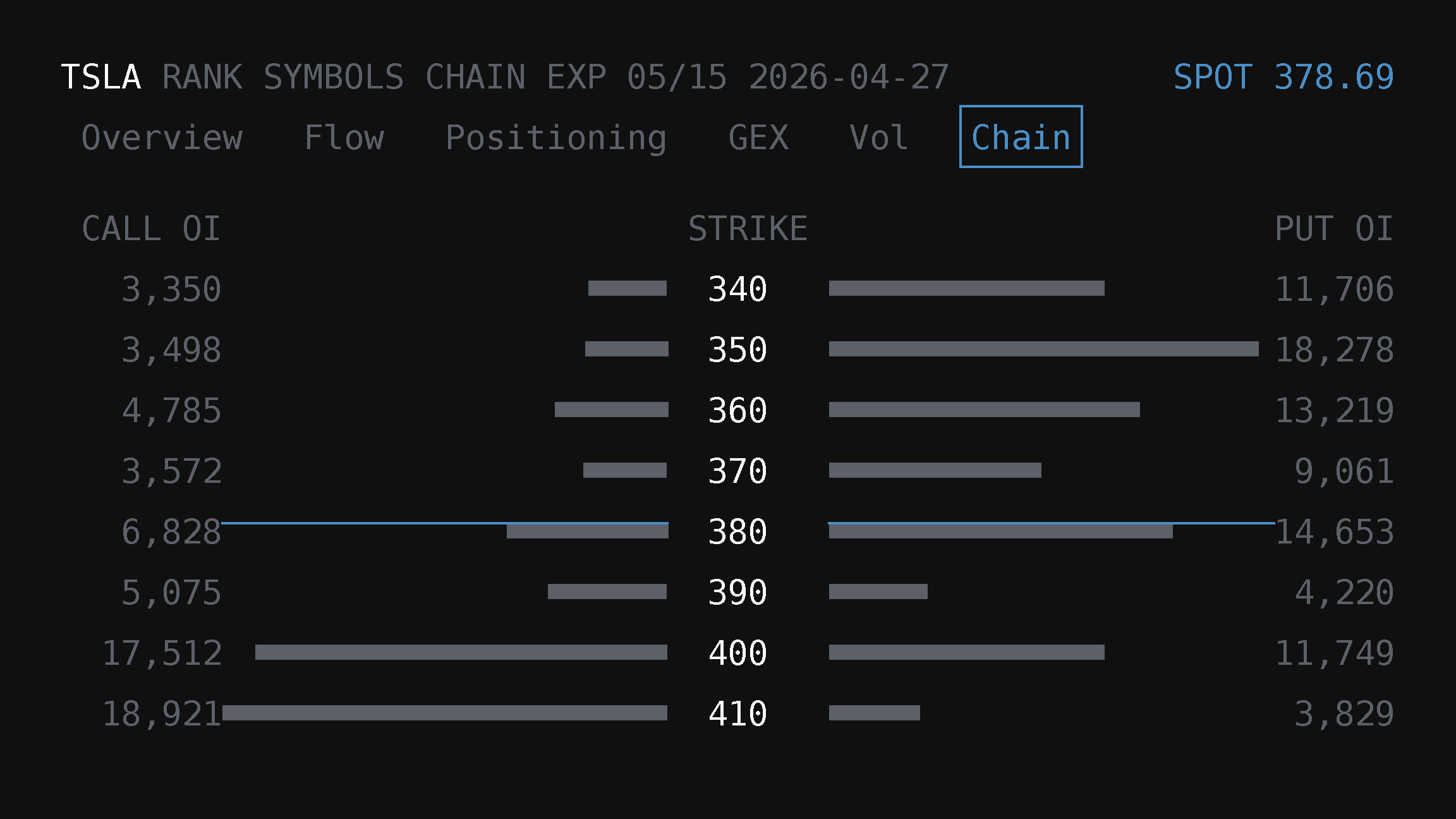
Option Chain Analysis inside Rank Symbols
Option Chain Analysis is now a feature set inside Rank Symbols (`/app/rank/symbols`): GEX, volatility, OI positioning, and chain tabs live in the symbol inspection drawer alongside flow-ranked discovery.
Option Chain Analysis in TradingFlow is now the chain-structure feature set inside Rank → Symbols at /app/rank/symbols. The former standalone /app/option-chain-analysis route is retired and should land users on the current Rank Symbols experience.
The current workflow keeps dealer gamma structure, implied-volatility context, OI positioning, and option-chain detail close to flow-ranked symbol discovery. You start from the Symbols table, then open the symbol inspection drawer for the GEX, Vol, Positioning, and Chain tabs.
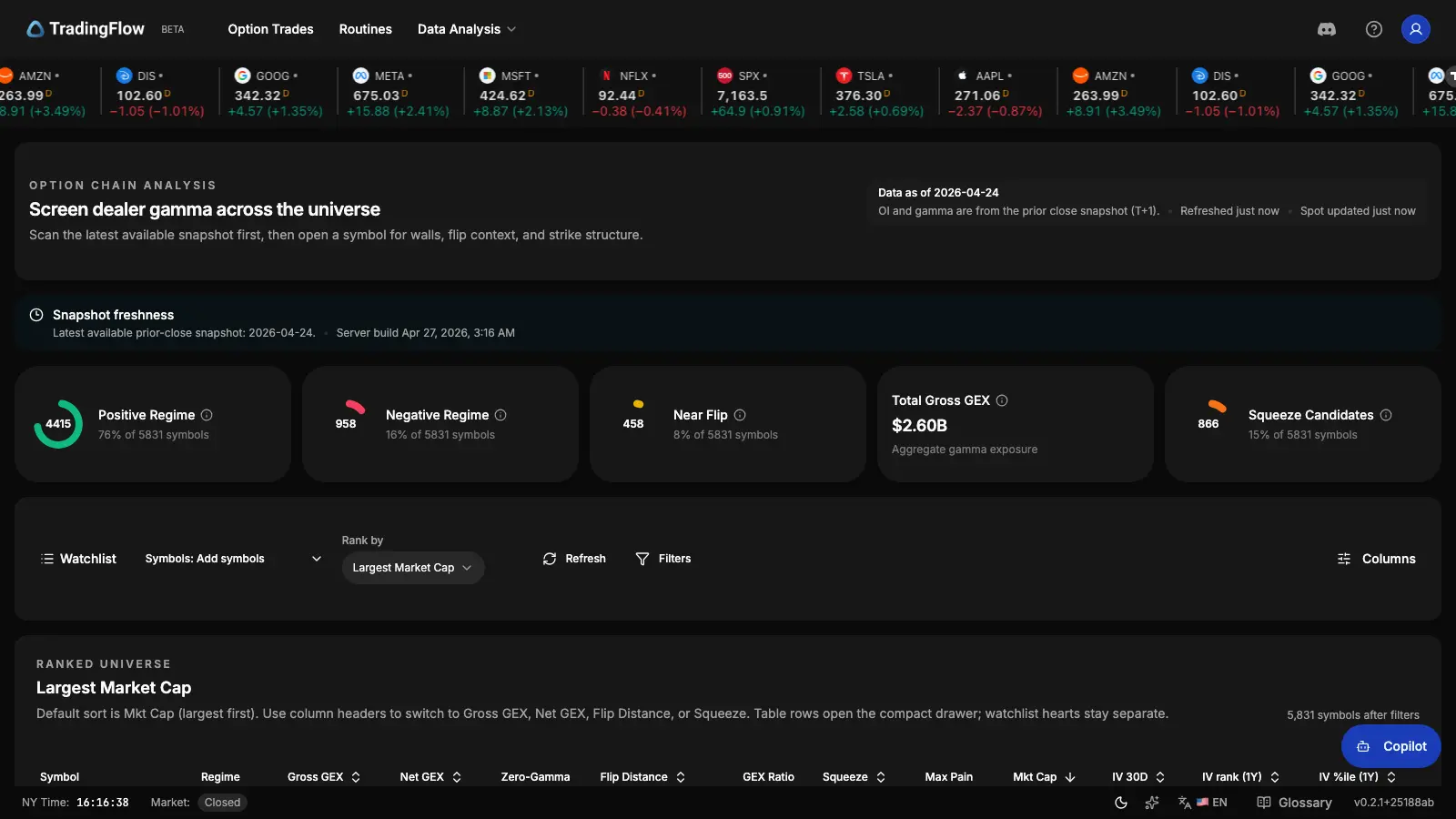
Ranked universe table (cropped):
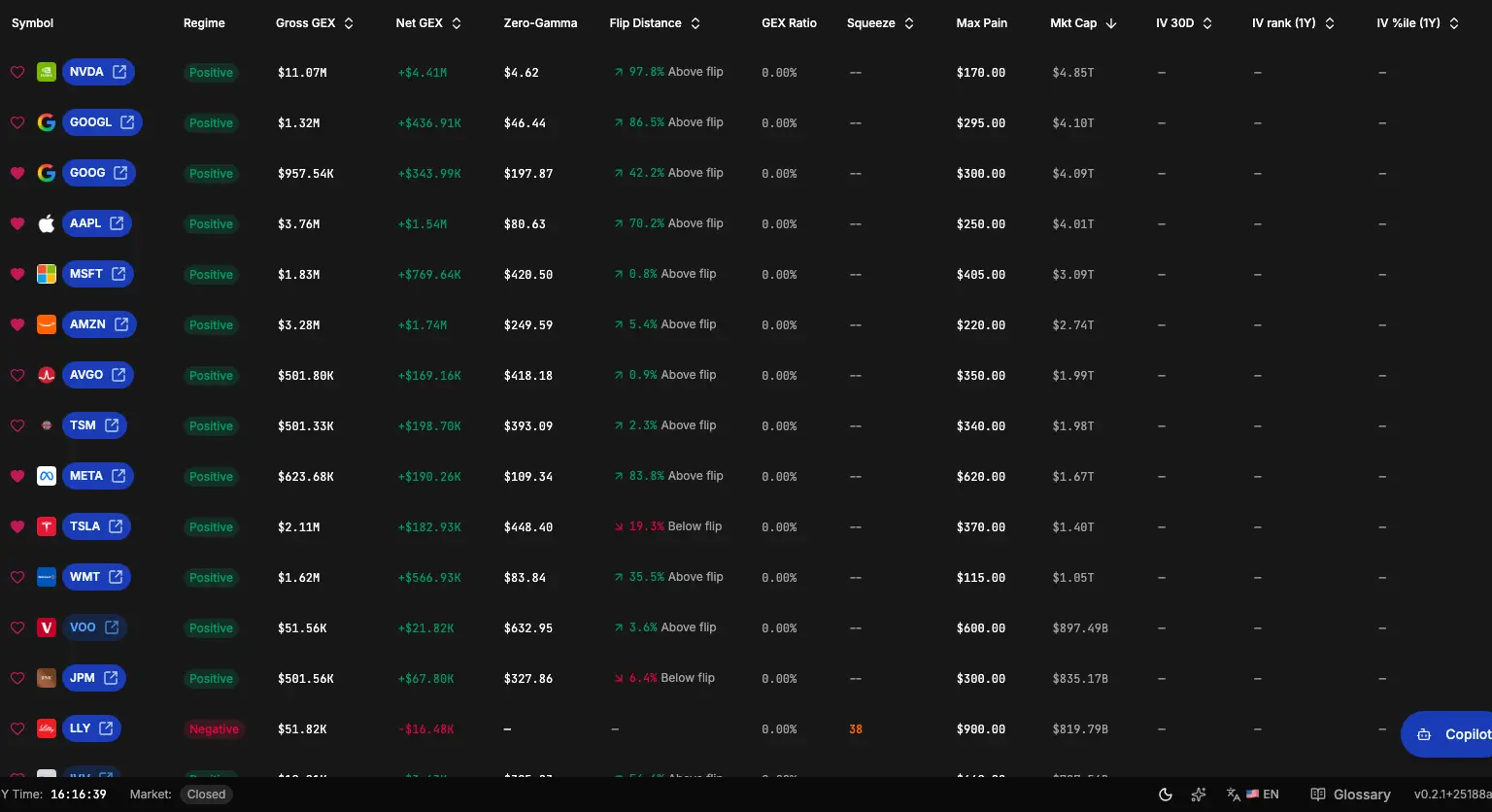
Symbol drawer (GEX, Vol, Positioning, and Chain tabs—opened from a row):
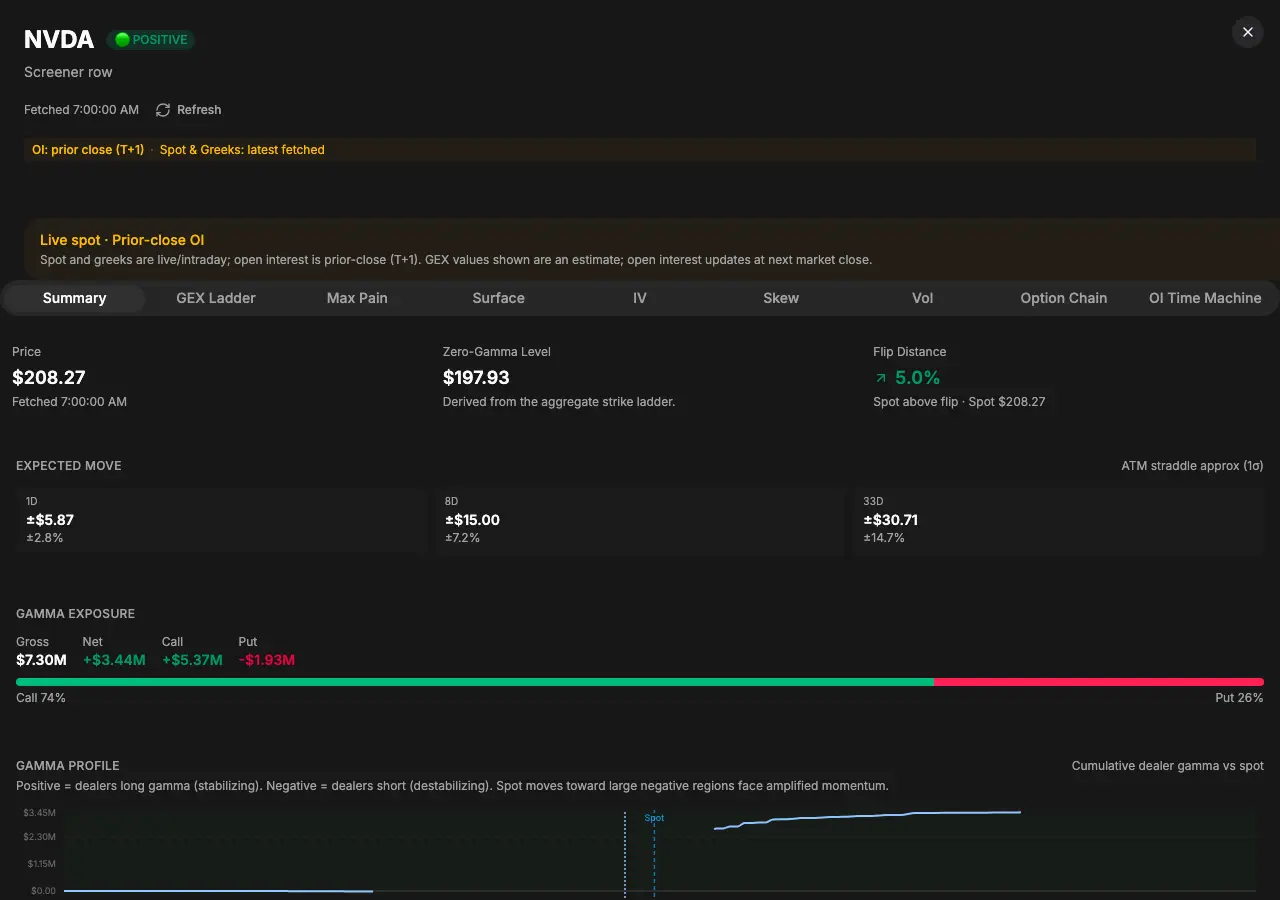
What Option Chain Analysis does
The heavy lifting uses snapshot-backed symbol and chain datasets: thousands of symbols stay fast because core rankings and columns come from prepared layers, not a full recompute on every load. The UI is explicit about data freshness; where rows show live or delayed context, that context does not rewrite the underlying snapshot math.
- Rank the universe from the Symbols tab using flow and symbol metrics, then inspect chain structure without leaving Rank.
- Read volatility context such as IV 30D, IV rank, IV percentile, and per-expiry smile context where populated.
- Inspect GEX and positioning in drawer tabs that keep dealer-gamma, OI, and chain data scoped to the selected symbol.
- Open any symbol in a drawer: inspection stays coherent per symbol, with Overview, Flow, Positioning, GEX, Vol, and Chain tabs.
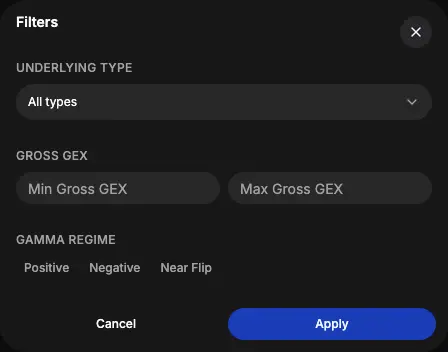
Filters dialog or Rank controls (available controls depend on the current Symbols surface and account access):
Links and state (shareable URLs)
Stable deep links now target /app/rank/symbols. The current shareable state centers on the selected symbol and drawer tab:
selectedSymbol— which symbol the drawer is open on, when you share or bookmark.drawerTab— the active tab inside the drawer, such asoverview,flow,positioning,gex,vol, orchain.- List filters and sorts follow the Rank Symbols URL contract exposed by the app.
Legacy links for the retired standalone route, older vol query styles, and old chain/GEX paths should normalize into the current Rank Symbols surface instead of creating a second product URL.
One grid for structure and vol
Cross-sectional volatility is part of the Rank Symbols table and symbol drawer, not a separate “vol only” screen. If you want names with richer volatility context, stay on /app/rank/symbols and use the shipped symbols columns, filters, and Vol drawer tab.
Deeper single-symbol vol analytics inside the drawer continue to roll out; the grid already answers “where is IV rich or cheap cross-sectionally?” in line with the shipped columns.
Same ranked universe with GEX and vol columns on one grid:
Symbol drawer: GEX, positioning, vol, and chain
The current drawer uses stable feature tabs rather than a separate standalone Option Chain page.
- GEX — dealer-gamma context for the selected symbol.
- Positioning — OI context, including the current OI Surface where available.
- Vol — IV 30D, IV rank, IV percentile, and related volatility context as populated.
- Chain — option-chain style rows for the selected symbol.
These tabs are scoped to the selected symbol and are launched from Symbol-level analysis rows.
Retired: A standalone cross-symbol OI rank list and the old mode=oi entry are not in the product. There is no supported /app/oi-change-rank app route. Use the symbol drawer's Positioning tab for the shipped OI context on one selected symbol.
Access at a glance
- Browsing the table preview and opening the symbol drawer (including public inspection where shown) are part of the discovery surface for anonymous and signed-in users.
- Mutations that drive the full list or premium drawer details—changing server-backed filters/sorts, exporting CSV, and similar—may be entitlement-gated. Deep links that include gated control params can fall back to preview list behavior while still allowing public drawer navigation (
selectedSymbol/drawerTab) where the product allows.
Exact gating can evolve—rely on in-app messaging for your account.
Legacy URLs and redirects
/app/option-chain-analysisis retired; prefer/app/rank/symbolsin docs and shares./app/gamma-exposure-screeneris a legacy name/path; it should land users on the current Rank Symbols experience.- Old vol query styles (
mode=vol,volRank,volDrawerTab) should normalize into the current Rank Symbols URL state, not a permanent parallel “vol page.”
Where to find it (with examples)
In TradingFlow, open Rank → Symbols, or go to /app/rank/symbols.
Examples (illustrations only; behavior follows in-app rules):
- Symbol drawer with GEX:
https://tradingflow.com/app/rank/symbols?selectedSymbol=TSLA&drawerTab=gex - Symbol drawer with volatility:
https://tradingflow.com/app/rank/symbols?selectedSymbol=TSLA&drawerTab=vol
Scan the Symbols table, then open the drawer on any name that stands out and switch between GEX, Vol, Positioning, and Chain tabs.
For how the legacy Gamma Exposure Screener name maps to the same feature set, see Gamma Exposure Screener (legacy name)—kept as a lineage article, not a second live app URL.
Related Articles
GEX Scanner: Gamma Exposure, Call Walls & Put Walls
Use TradingFlow’s GEX scanner inside Rank Symbols for gamma exposure, call walls, put walls, volatility, OI, and option-chain context—after you rank options flow.
Symbol-level analysis in the Rank workbench
Symbol-level analysis is now the Symbols tab of the Rank workbench. It ranks the universe by option flow, adds integrated GEX/vol/OI/chain inspection tabs, and keeps Option Trades handoff and CSV export behind the right access boundaries.
Contract-level analysis in the Rank workbench
Contract-level analysis is the Contracts tab of the Rank workbench. It ranks specific option contracts with intraday flow, retained snapshot dates, OI/volume context, exact-contract inspection, and Option Trades handoff.