Contract-level analysis in the Rank workbench
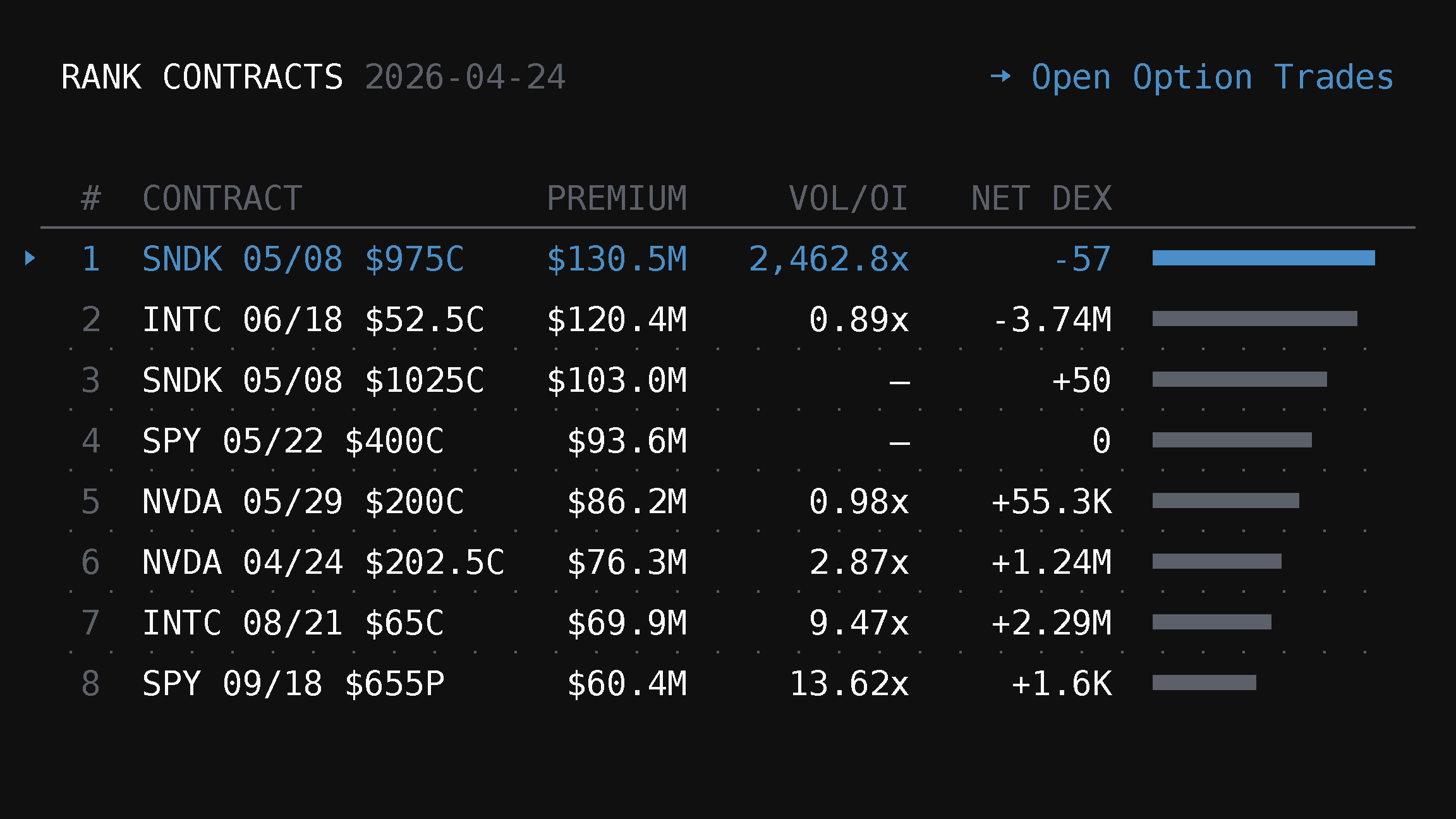
Contract-level analysis is the Contracts tab of the Rank workbench. It ranks specific option contracts with intraday flow, retained snapshot dates, OI/volume context, exact-contract inspection, and Option Trades handoff.
Contract-level analysis in TradingFlow is the Contracts tab of the Rank workbench. It answers the question: which specific contracts are seeing the most action right now? The current route is /app/rank/contracts; older links such as /app/contract-rank redirect here.
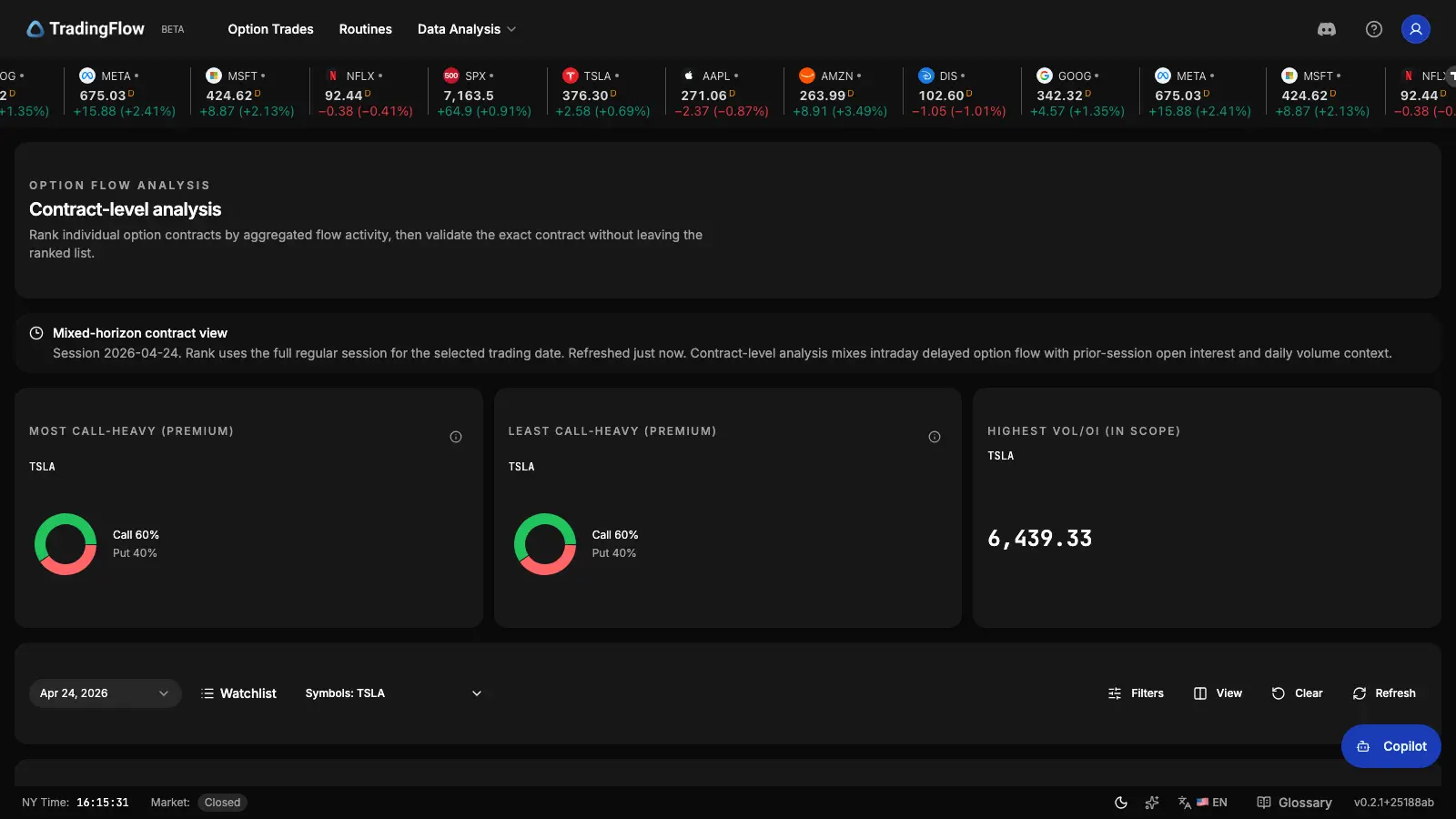
Ranked table (cropped to the grid):
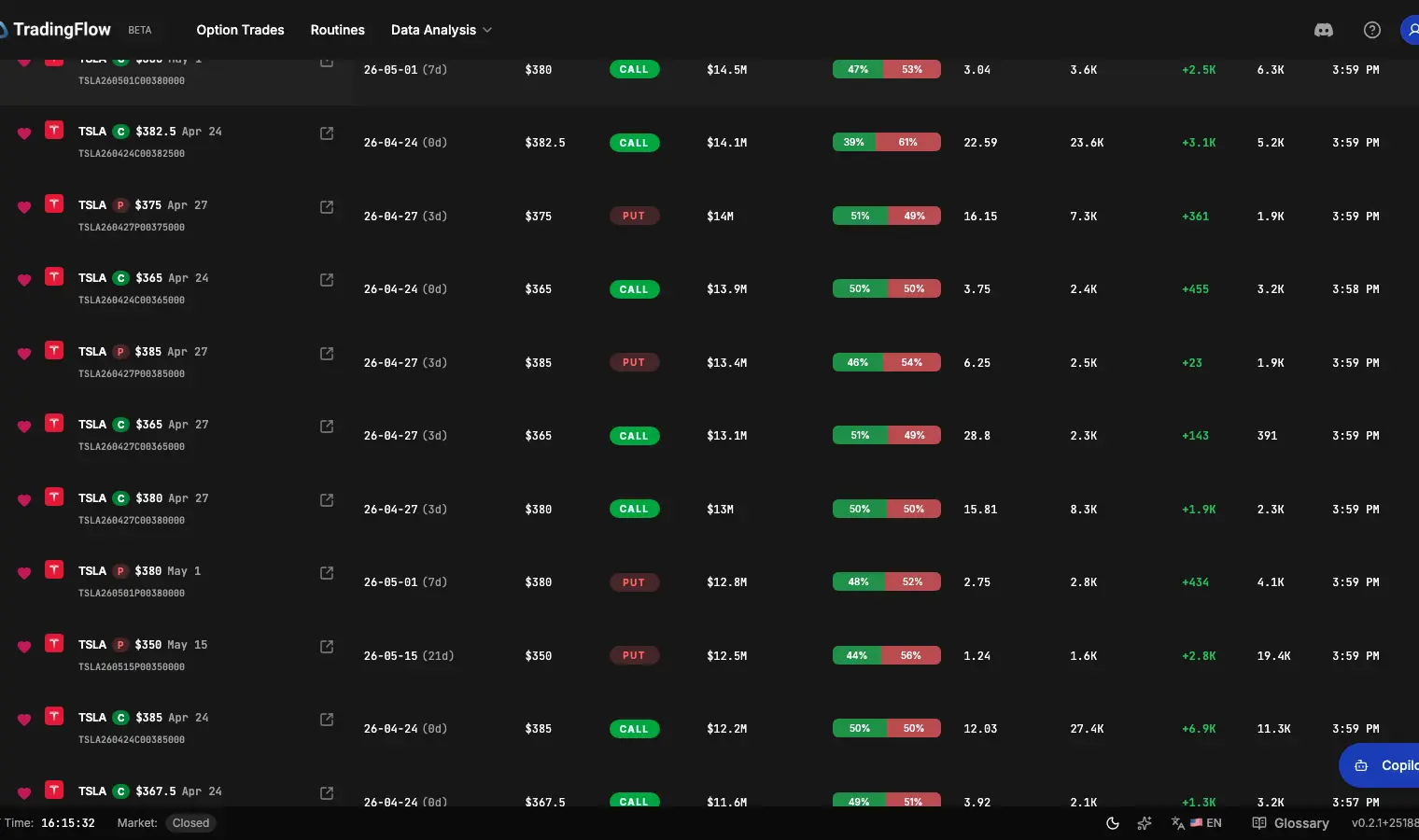
Contract drawer (inspect one contract—intraday flow vs historical context):
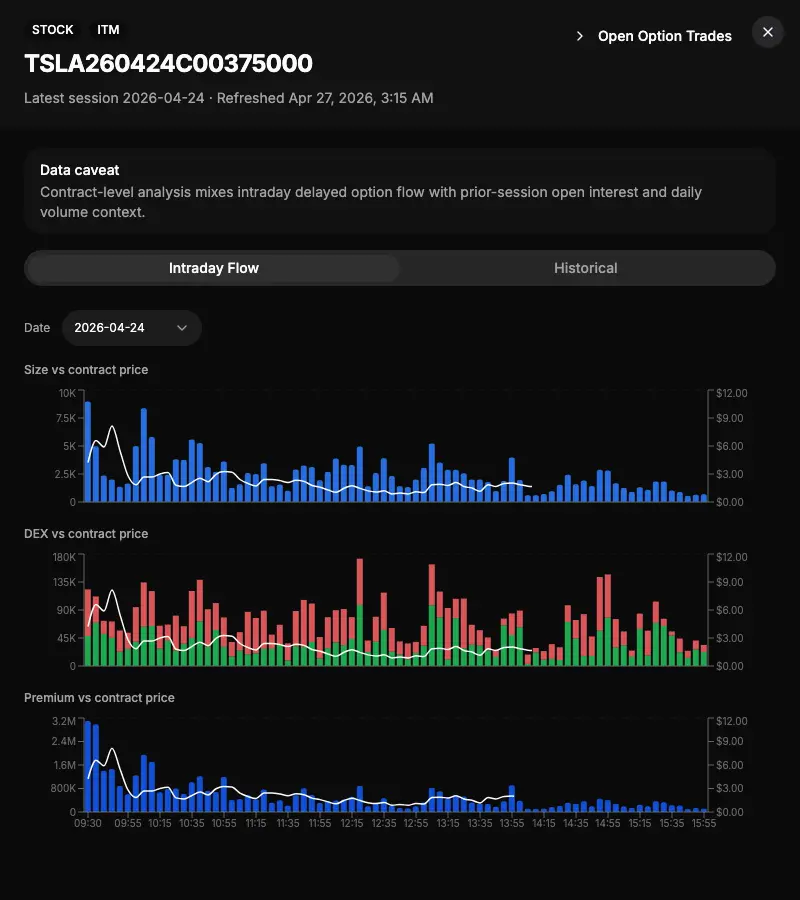
What Contract-level analysis shows
Contract-level analysis mixes intraday delayed flow with prior-session open interest (OI) and daily volume context. By keeping the horizon hybrid, it prevents misreading the surface as purely live or entirely T+1.
- Option flow analysis (Contract-level) — See top contracts ranked by metrics like premium, vol/OI ratio, OI change, ask/bid printed size, latest trade context, and net DEX.
- Server-driven ranking — The server owns ranking, filtering, pagination, and window anchoring, guaranteeing that you're looking at the true top contracts matching your criteria, not just sorted leftovers.
- Contract drawer — Click a row to open the drawer: Intraday focuses on short-interval flow buckets with trade-price overlay in tooltips; Historical (day-over-day) charts OI with ΔOI markers, bullish/bearish DEX bars, ask/bid printed size, and session-level context in the table. Drawer shortcuts preserve exact contract identity for follow-up.
- Access boundary — Default list preview and public inspection affordances are part of the browse surface for lower tiers; changing rank mode, applying narrowing filters, column-header sorts, premium drawer details, CSV export, and similar list-control mutations are premium-gated. Pagination (
page/pageSize) is a read cursor within the default unpaid query—not treated as a premium gate by itself.
Finding What Matters
You can use powerful narrowing filters to zero in on exactly what you want:
- Filter by symbol, put/call, expiry scope, or exact expiration date.
- Use post-aggregation floors like minPremium and minVolOi to find contracts with meaningful activity size.
- The rank list uses server-owned sorting metrics such as
premium,volOiRatio,netDex, and related contract-flow context so the most important action naturally floats to the top.
How the ranked grid looks while you tune symbol, expiry scope, and post-aggregation floors:
Exact-Contract Handoff
Contract-level analysis is discovery-first. But ranking without evidence isn't actionable. The default table layout makes contract identity scannable instantly. Once you spot a contract of interest, you can smoothly transition into the Option Trades view.
The handoff preserves all your exact-contract filters (symbol, expiration date, strike, put/call). This means you land precisely on the evidence view without manually rebuilding your search state.
See it in action
In the app, use Rank → Contracts, or go to /app/rank/contracts. Legacy /app/contract-rank links redirect to this tab. Use narrowing filters for discovery, open the drawer for intraday vs historical context, and use Open Option Trades when you want trade-level evidence—the handoff preserves exact-contract filter fields.
Related Articles
Symbol-level analysis in the Rank workbench
Symbol-level analysis is now the Symbols tab of the Rank workbench. It ranks the universe by option flow, adds integrated GEX/vol/OI/chain inspection tabs, and keeps Option Trades handoff and CSV export behind the right access boundaries.
Option Chain Analysis inside Rank Symbols
Option Chain Analysis is now a feature set inside Rank Symbols (`/app/rank/symbols`): GEX, volatility, OI positioning, and chain tabs live in the symbol inspection drawer alongside flow-ranked discovery.
Connect Claude to TradingFlow without an API key
Claude now signs in to TradingFlow with your TradingFlow account. Add the connector once, then ask about live options flow from claude.ai, Claude Desktop, mobile, Cowork, or Claude Code without copying a key.