OI Change Rank (retired): where cross-symbol OI ranking went
The standalone OI Change Rank app and /app/oi-change-rank are removed from the product (2026). Per-symbol OI history now lives in Option Chain Analysis as OI Time Machine in the symbol drawer.
Product change (2026-04): The standalone OI Change Rank surface and the
/app/oi-change-rankroute are no longer available. Old bookmarks or links to that path will not open a ranked OI universe. Do not rely onmode=oiin Option Chain Analysis URLs either—it is not part of the current contract.
If you landed here from search or an old link: cross-symbol open-interest ranking as its own app has been retired. The intended replacement for historical OI on one symbol at a time is inside Option Chain Analysis.
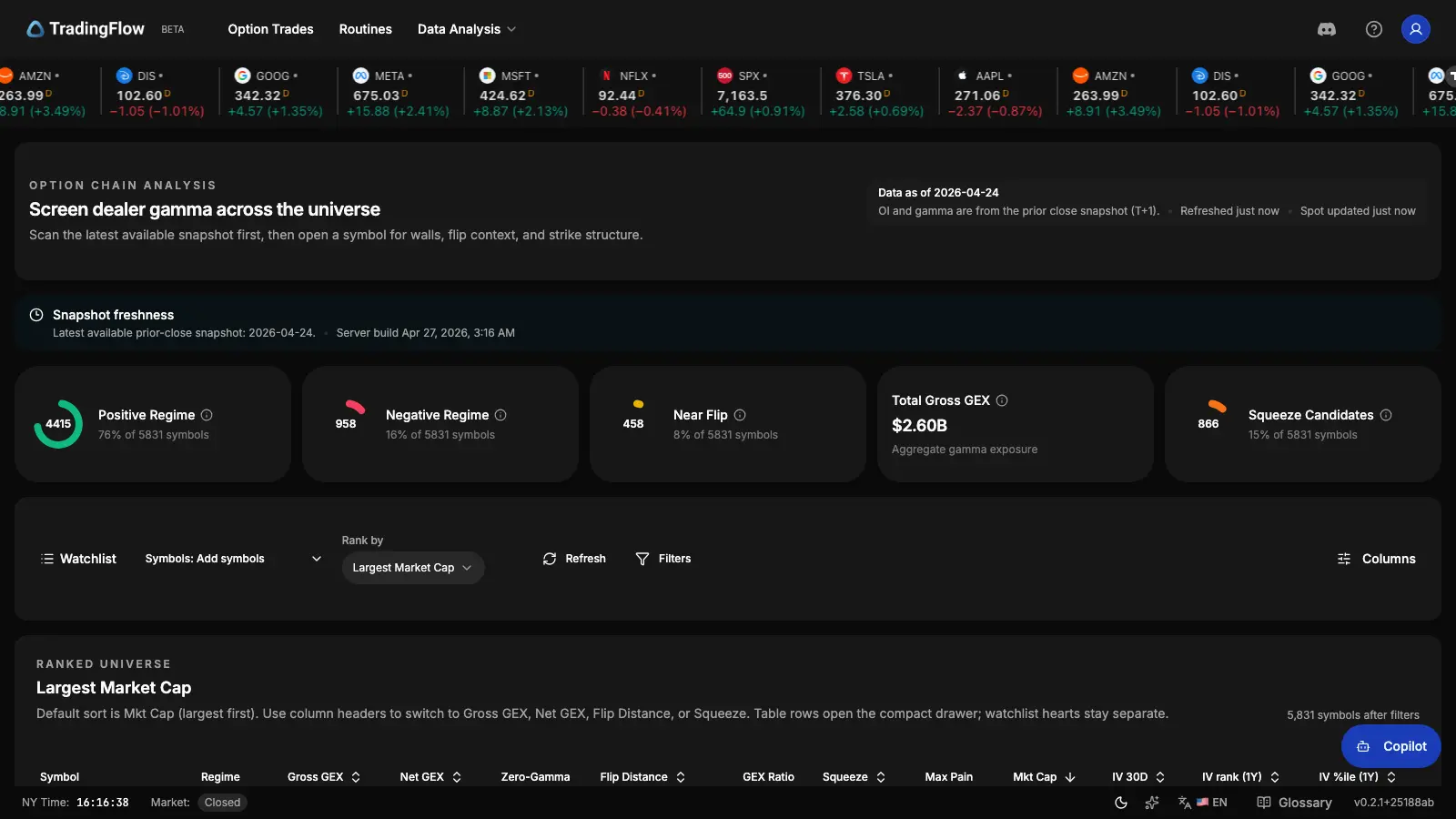
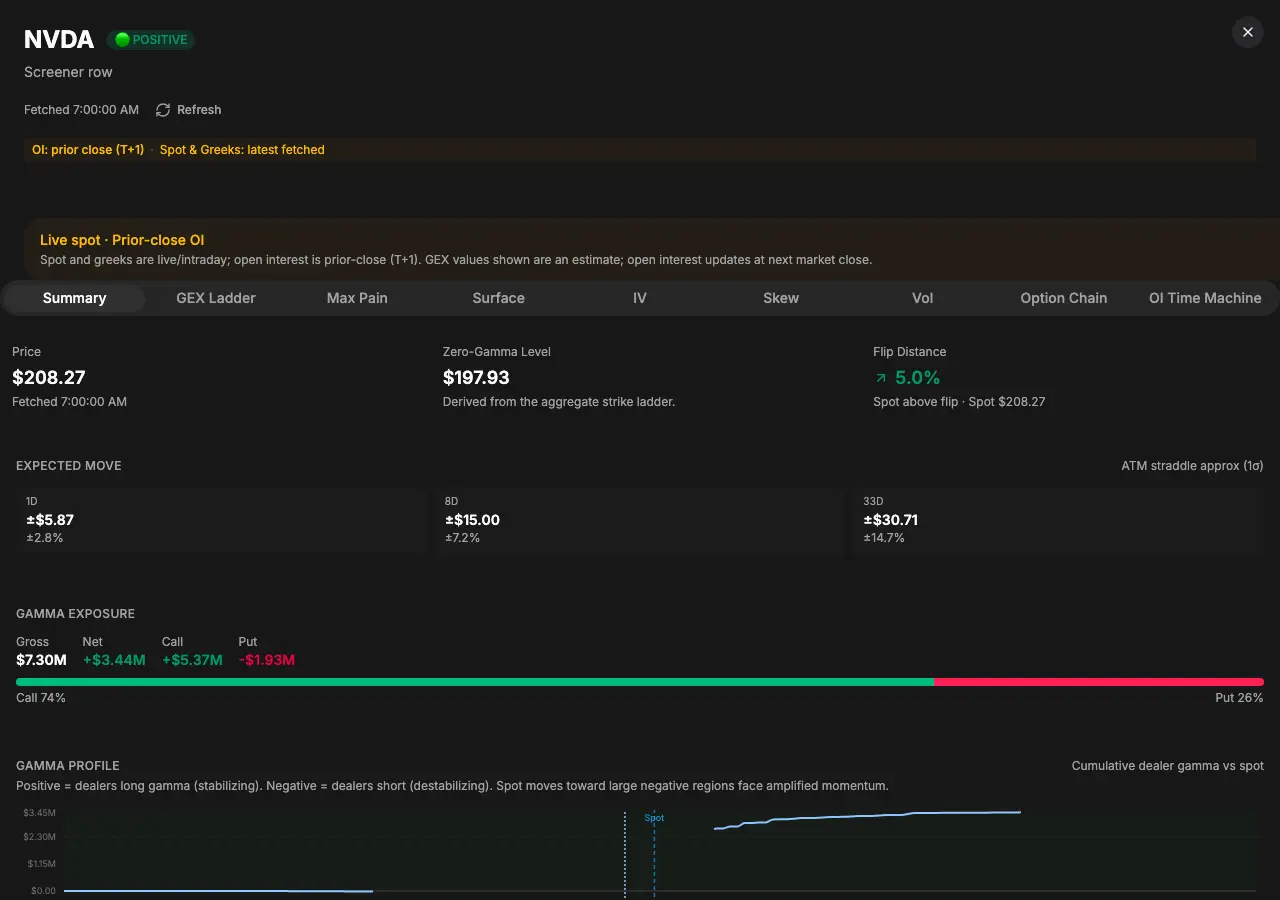
The screenshots below are from Option Chain Analysis (/app/option-chain-analysis)—the live surface where OI Time Machine lives—not from the removed /app/oi-change-rank route.
What to use instead: OI Time Machine
Option Chain Analysis at /app/option-chain-analysis is the unified discovery app for GEX, cross-sectional vol columns, and per-symbol depth.
For historical open interest on a selected symbol only:
- Open Option Chain Analysis and pick a GEX / structure list sort (for example default market-cap ordering).
- Open the symbol drawer on the ticker you care about.
- Go to the OI Time Machine tab (in URL state this is often
drawerTab=oi-timelinewhen sharing a deep link).
That tab is built for single-symbol OI surfaces and timelines—not a replacement for the old cross-symbol rank table, but the supported path for OI history going forward.
Why the standalone rank list went away
The product consolidated discovery into one route and one URL search contract (rank, drawerTab, selectedSymbol, underlyingType) so users do not split workflows across a separate “OI rank” URL. Cross-symbol OI ranking as a first-class app is documented as removed in the domain invariants for Option Chain Analysis; restoring it would be an explicit product and documentation decision.
Historical reference (archived)
Older releases shipped a cross-symbol OI change listing with multiple rank modes, KPI cards, and a multi-tab drawer. That experience is not a description of the current app. For gamma and vol context on the same /app/option-chain-analysis surface, see the Option Chain Analysis post and, for legacy naming of the GEX universe, Gamma Exposure Screener (legacy name).
Related today
- Option Chain Analysis —
/app/option-chain-analysis; OI Time Machine on the symbol drawer. - Option Trades — trade-level evidence on
/app/option-trades. - Symbol-level analysis — flow-ranked symbols on
/app/market-rank.
Related Articles
Ranked IV and vol context: shipped inside Option Chain Analysis
There is no separate Volatility Desk route. Cross-sectional IV rank, IV percentile, and vol-focused drawer tabs live on /app/option-chain-analysis with the same universe grid as GEX.
Gamma Exposure Screener (legacy name) → Option Chain Analysis
The old Gamma Exposure Screener URL redirects to Option Chain Analysis. Same snapshot GEX universe, now with unified rank/drawer URLs and cross-sectional vol on one grid.
Option Chain Analysis: GEX, Volatility, and Per-Symbol Depth in One Surface
One route (`/app/option-chain-analysis`) combines GEX universe ranking, cross-sectional IV columns, and a symbol drawer—using a unified `rank` + `drawerTab` URL contract. GEX inspection includes OI Time Machine (`oi-timeline`); vol sorts open a vol-rank drawer (Overview, Term structure, Earnings).